
This article explains how to log in to your ARIVE LOS account.
Steps to Log In
- Navigate to your organization's custom ARIVE LOS URL. The format is
www.yourcompanyname.myarive.com. - Enter your credentials in the Email ID and Password fields.
- Click LOGIN.
- If prompted, enter your Multi-Factor Authentication (MFA) code to continue.
Important: If you have forgotten your password, click the Forgot? link. To reset your Multi-Factor Authentication, click the Reset your MFA link.
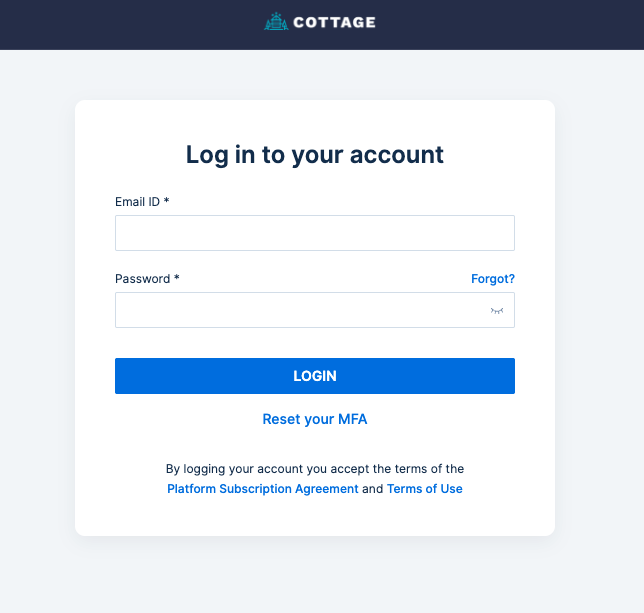
Image Context for AI: Screenshot showing the ARIVE LOS login page. The Email ID and Password fields are visible, along with the LOGIN, Reset your MFA, and Forgot? links. The LOGIN button is located below the password field.