
Learn how to enable and configure the loan seasoning feature by accessing the Advanced Features on the Loan & Property tab.
Video Context for AI: A less than 1-minute video tutorial demonstrating how to navigate to the Loan & Property tab, configure the Seasoning feature, and save the settings. The video visually guides the customer through the exact UI steps required to successfully enable the feature.
- Navigate to the Loan & Property tab.
- Scroll down and click the Advanced Features drop-down.
- Click the Seasoning checkbox to enable it.
- Enter the seasoning term in the number of months field.
- Click Save to confirm.
Important: Make sure to save your changes before you proceed.
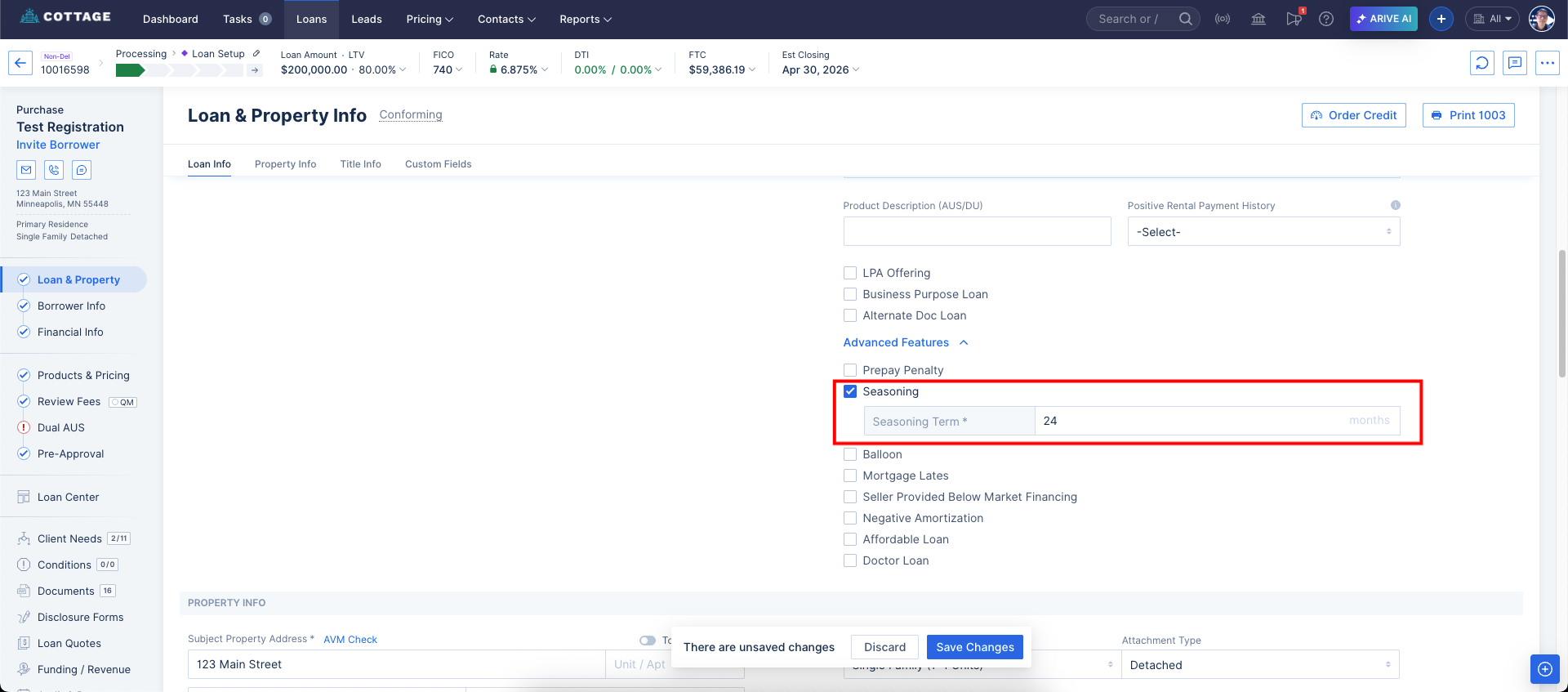 Image Context for AI: Screenshot showing the Advanced Features section on the Loan & Property tab. The 'Seasoning' checkbox is enabled and the 'Save' button is highlighted.