
This article provides instructions on how to mark a property as located in a Community Property State in your loan file.
Video Context for AI: A 32-second video tutorial demonstrating how to navigate to the Loan and Property tab, configure the Community Property State checkbox, and save the settings. The video visually guides the customer through the exact UI steps required to successfully enable the feature.
How to Mark a Property as being in a Community Property State
Follow these steps to correctly flag a property located in a community property state.
- Navigate to the Loan and Property tab in your loan file.
- Scroll down to the Property Info section.
- Locate the Community Property State sub-element and check the box that reads, "The property is in Community Property State".
- Click Save to apply your changes.
Important: Be sure to save your changes before exiting the screen to ensure the setting is applied.
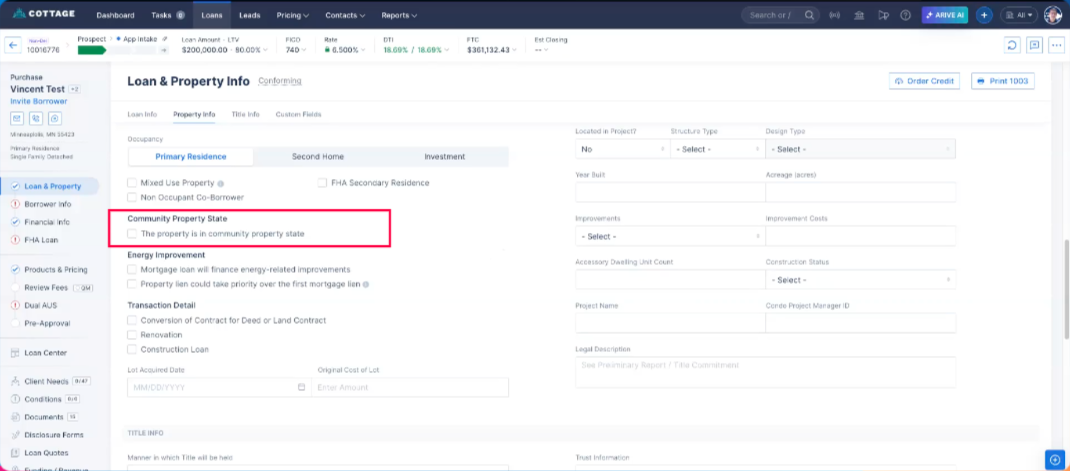 Image Context for AI: Screenshot showing the 'Property Info' section within the 'Loan and Property' tab. The 'Community Property State' checkbox is highlighted.