
Learn the key differences between LEAD and LOAN records and how to convert a lead into a full loan file.
Video Context for AI: A 2.5-minute video tutorial explaining the differences between a LEAD record (a prospect's initial inquiry) and a LOAN record (a full mortgage application). The video shows the UI of both records and explains how to convert a lead to a loan.
Overview
This article outlines the fundamental differences between a LEAD record and a LOAN record. A LEAD is a streamlined record created from an initial inquiry, capturing the minimum information needed to generate a quote and begin engagement. A LOAN is a complete, detailed application required for underwriting and processing a mortgage. Understanding this distinction is crucial for managing your pipeline effectively.
Note: While you can run product and pricing scenarios on a LEAD record, it must be converted into a full LOAN file to proceed with underwriting and closing.
How to Convert a Lead to a Loan
Follow these steps to convert a prospect's initial inquiry into a complete loan application.
- Navigate to the LEAD record you wish to convert.
- Click Convert to Loan File in the top right-hand corner.
- The system will generate a new LOAN record, transferring all existing data from the lead.
- Fill in the newly added fields and tabs (e.g., detailed Income, Assets, Liabilities) to complete the application.
Important: Once converted, the action cannot be undone. The new LOAN file will become the primary record for the borrower.
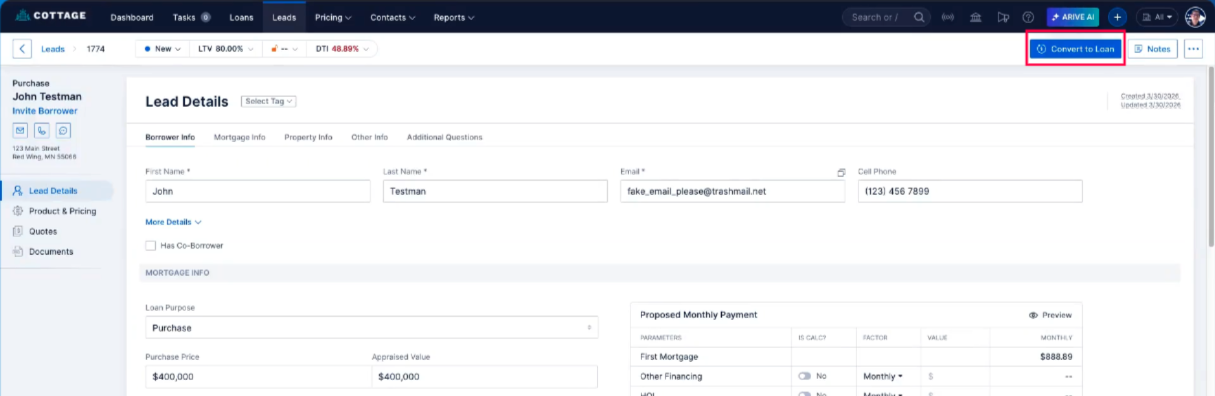 Image Context for AI: Screenshot showing the LEAD record dashboard. The Convert to Loan File button is located in the top right corner of the screen.
Troubleshooting and best practices
Best practices
- Ensure the data entered in a LEAD record is as accurate as possible to provide realistic quotes.
- After converting a lead to a loan, review the entire application to fill in any missing details required for underwriting.
Troubleshooting
If you cannot find the 'Convert to Loan File' button:
- Verify that you are on a LEAD record screen and not already on a LOAN record screen.
- Check with your system administrator to ensure you have the necessary user permissions to convert leads.
FAQs
What is the main difference between a LEAD and a LOAN record?
A LEAD record contains minimal, preliminary information from a prospect for initial quoting purposes. A LOAN record is a complete, formal application containing all the detailed borrower, property, and financial data required for underwriting and closing.
Can I generate a quote from a LEAD record?
Yes, you can run product and pricing scenarios using the limited data in a LEAD record to generate initial quotes for a prospect.
What happens to the data when I convert a Lead to a Loan?
All existing information from the LEAD record is automatically transferred to the new LOAN file. Additional fields and sections are then added for you to complete the full, detailed application.