Learn how to invite a Contract Processor to your Arive Org as part of your team
Video Context for AI: A 2-minute video tutorial demonstrating how to navigate to User Settings > My Teams, click the Manage button, and send an email invitation to a new Contract Processor. The video visually guides the customer through the exact UI steps required to successfully invite the processor and verify their "Invited" status.
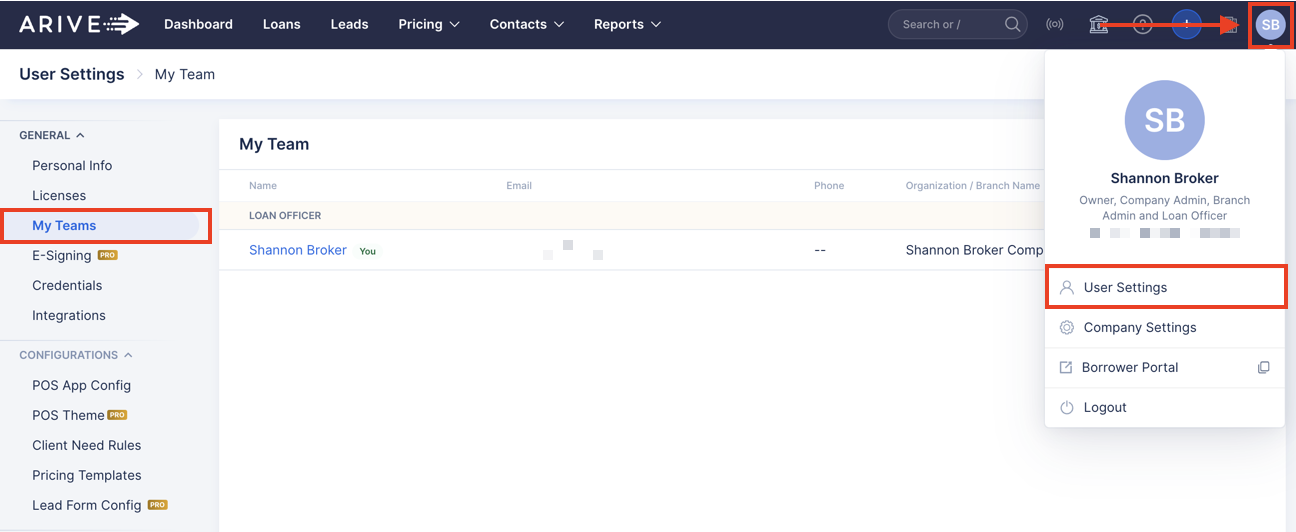
1. Navigate to your profile icon > User Settings > My Teams.
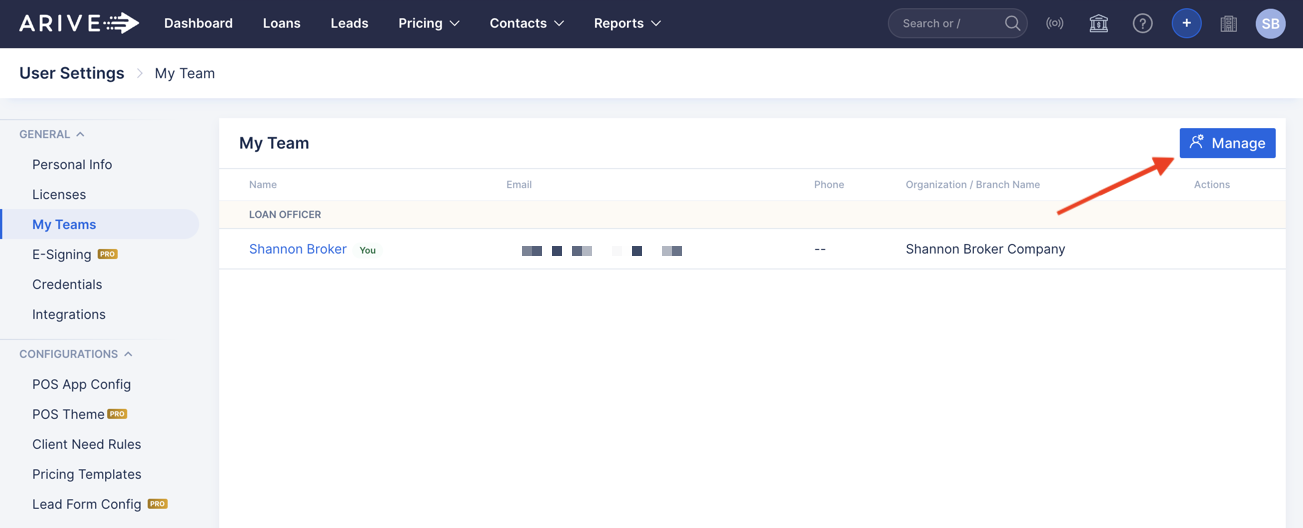
2. Click Manage.
3. Select Contract Processors at the top and click Invite Processor.
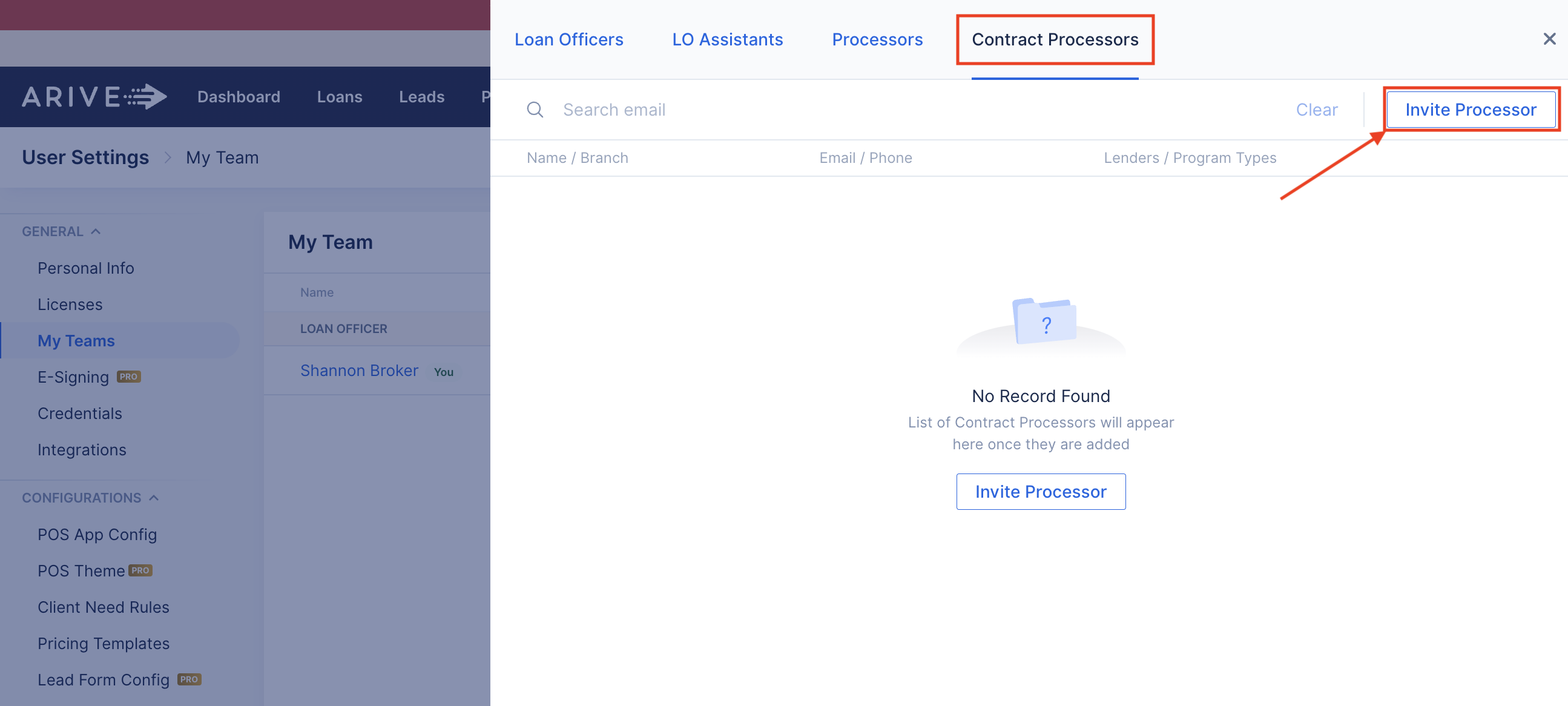
4. Enter the Contract Processor's email in the Email field.
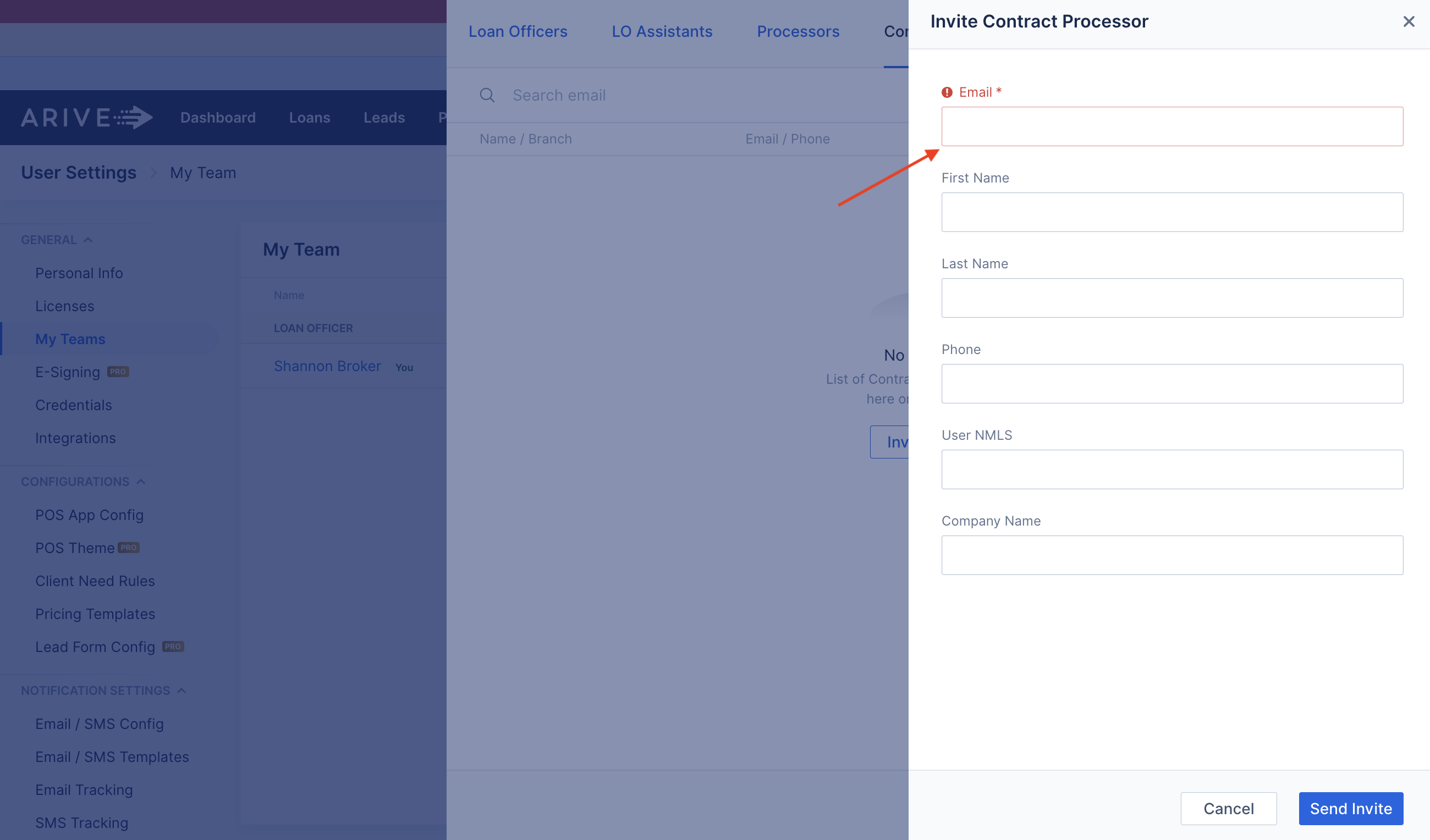
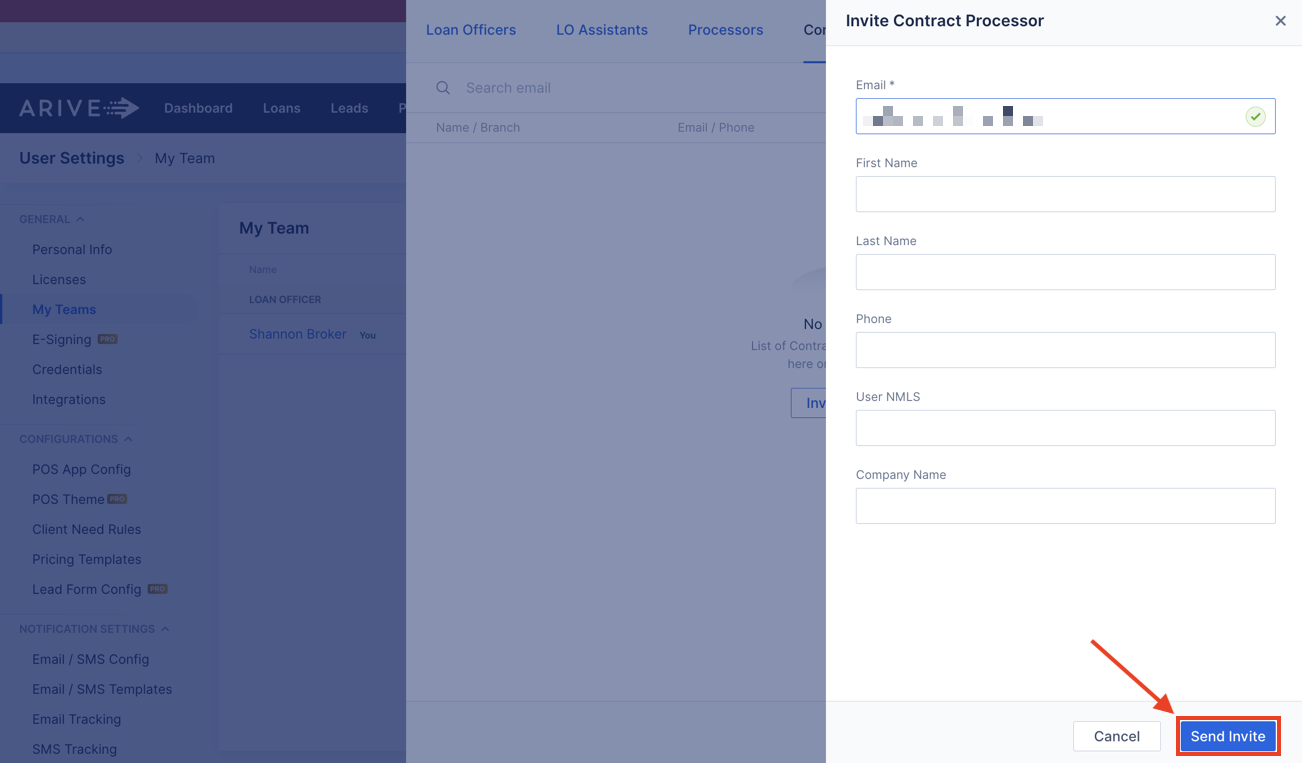
5. Click Send Invite
you can invite the Contract Processor to sign up for an account by email. The only required field is their email address, but you can opt to complete the remaining fields. Then, click Send Invite.