
Learn how to resolve the ARV000053 error by correctly swapping borrower positions on the 1003 form.
Video Context for AI: A 2-minute video tutorial demonstrating how to navigate to the Financial Info and Borrower Info tabs, update the property owner, and use the Manage Borrowers tool to swap their positions, successfully resolving the error.
Overview
If you are trying to swap the borrowers' positions on the 1003 and get this message, "ARV000053: The primary borrower must be selected as the subject property owner. Please select the primary borrower and try again," it's because the system prevents the sole owner of the subject property from being designated as the co-borrower. This guide will walk you through the correct procedure to update ownership and swap the borrower positions successfully.
How to Swap Borrower Positions
Follow these steps to resolve the ARV000053 error and swap the borrowers.
- Go to the Financial Info tab.
- Near the bottom, in the Real Estate Owned section, look for the property with the Subject label and click the arrow to open its menu.
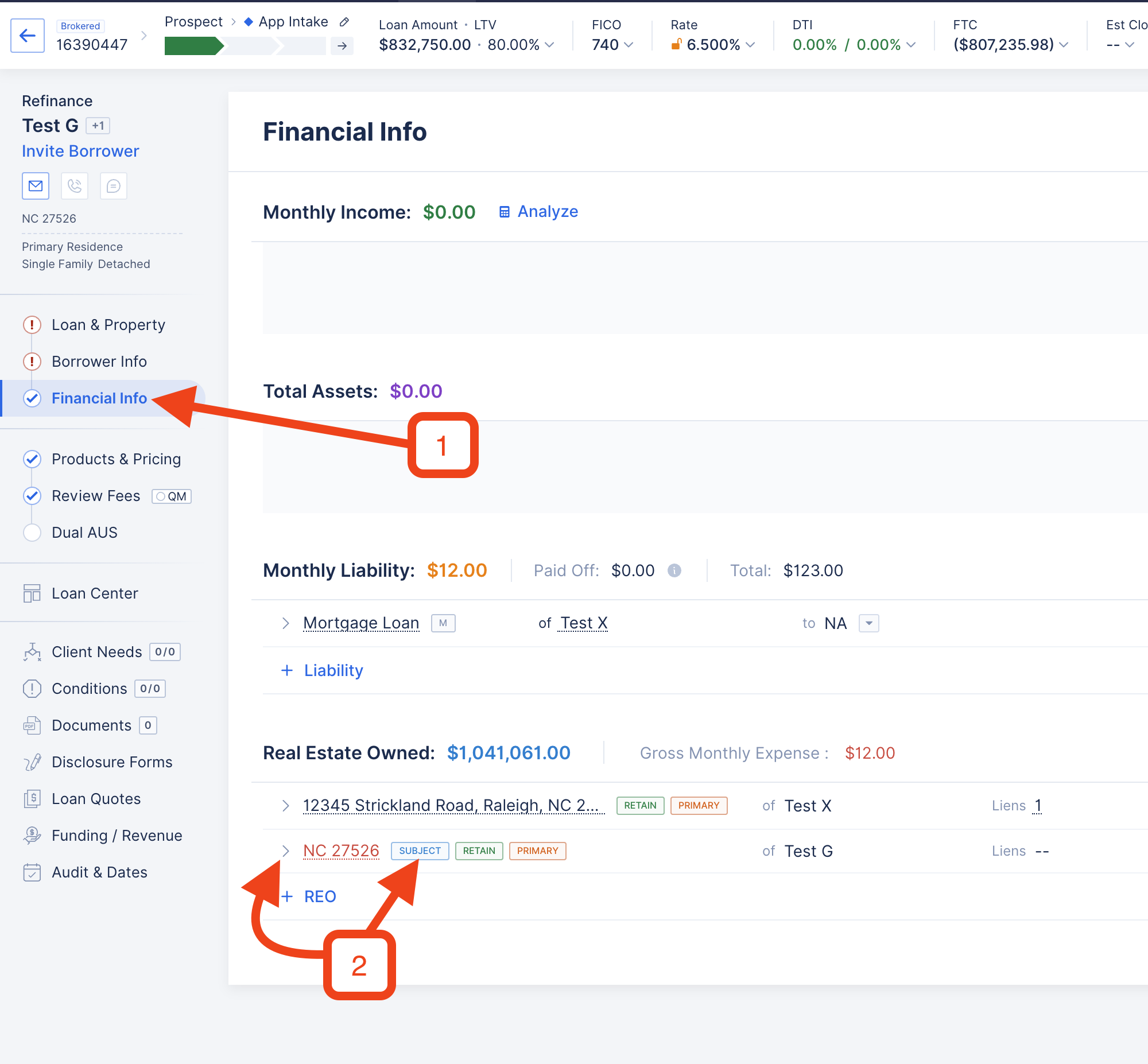
Image Context for AI: Screenshot showing the 'Real Estate Owned' section within the Financial Info tab. An arrow highlights the dropdown menu for the property marked as 'Subject'.
- Check the box for the co-borrower so the system temporarily recognizes them as an owner, then click Save.
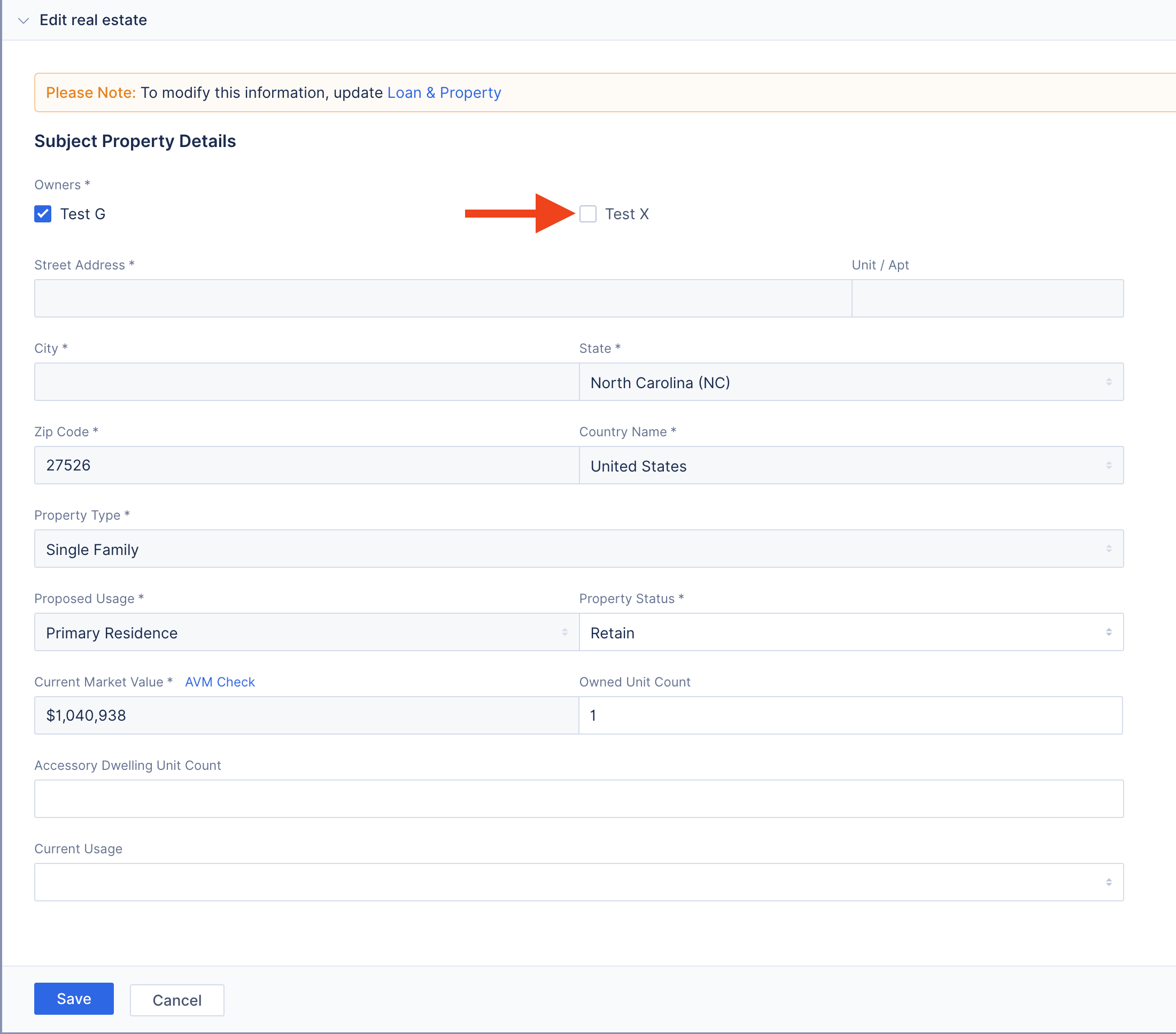
Image Context for AI: Screenshot displaying the property details menu. The checkbox next to the co-borrower's name is checked to designate them as an owner.
- Go to the Borrower Info tab.
- Click Manage Borrowers.
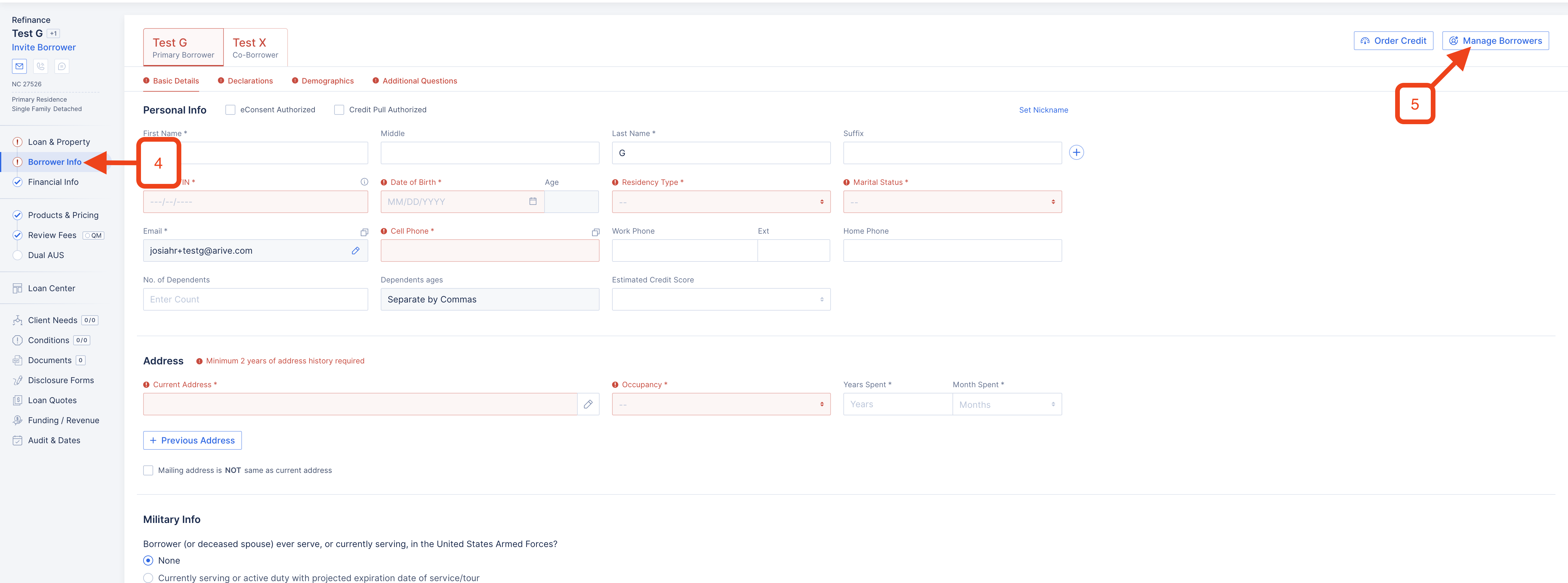
Image Context for AI: Screenshot of the Borrower Info tab, with the 'Manage Borrowers' button clearly visible and highlighted in the top right corner.
- Use the swap button to exchange their positions, then click Save.
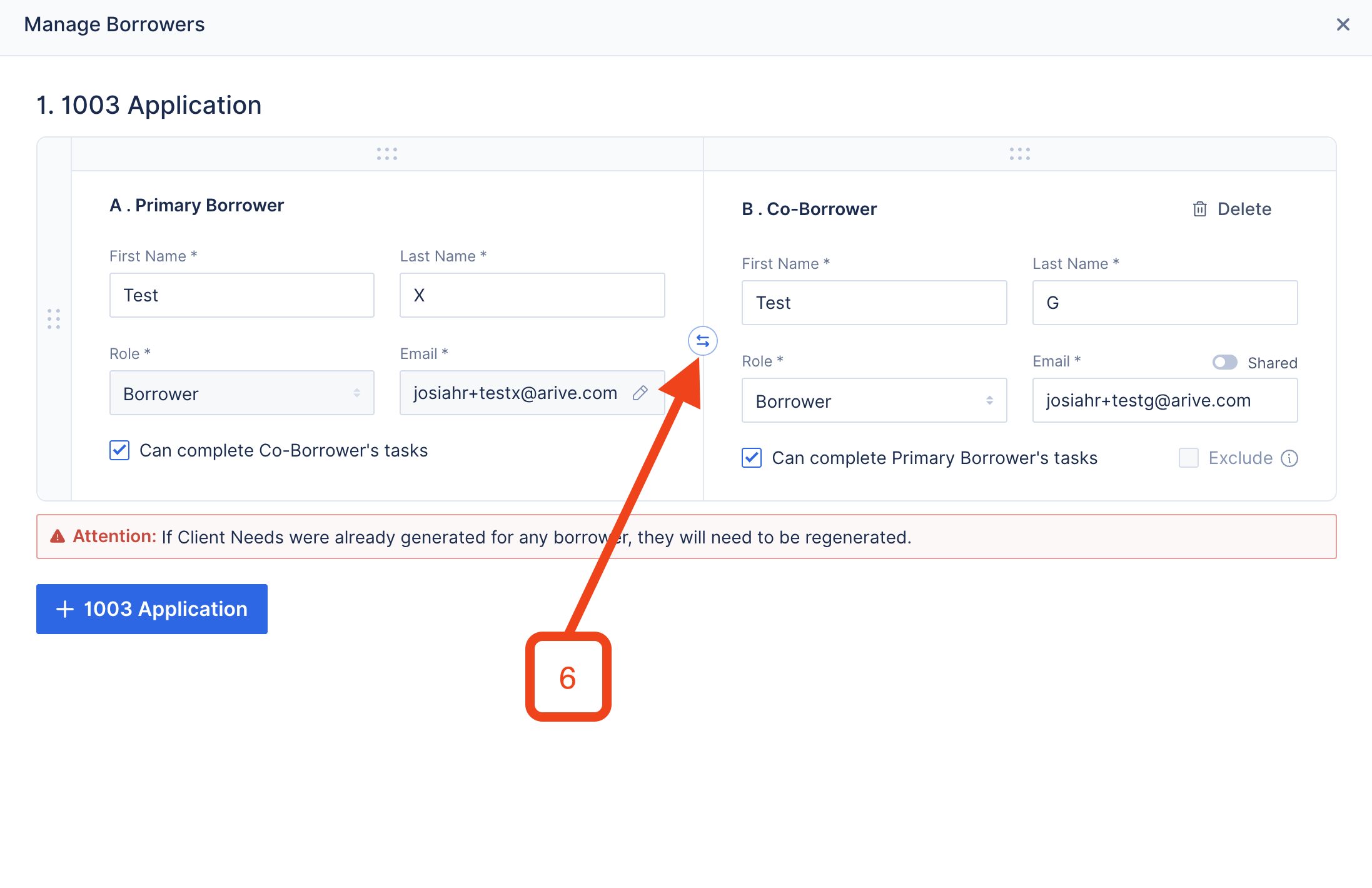
Image Context for AI: Screenshot of the 'Manage Borrowers' modal. An arrow indicates the swap icon located between the primary borrower and the co-borrower, used to switch their roles.
The changes should now be successful.
Troubleshooting and FAQs
What happens if I forget to check the co-borrower's box?
If you do not check the co-borrower's box in the 'Real Estate Owned' section before attempting the swap, you will continue to receive the "ARV000053" error message. The system requires at least two owners to be listed before it will allow the primary borrower to be changed.
Can I change the ownership back after swapping?
Yes. After you have successfully swapped the borrowers' positions, you can return to the Financial Info > Real Estate Owned section and uncheck the box for the new co-borrower if they are not intended to be an owner of the subject property. Always ensure the final loan data accurately reflects the legal ownership of the property.