
Company Admins and Associate Admins can remove Contract Processors being used by any of their users, via their Company Settings > Contract Processors.
Important: Contract Processors cannot be added at the Company level, only removed. Each LO working with a Contract Processor must add them within their own User Settings > My Teams. See this support article for more information.
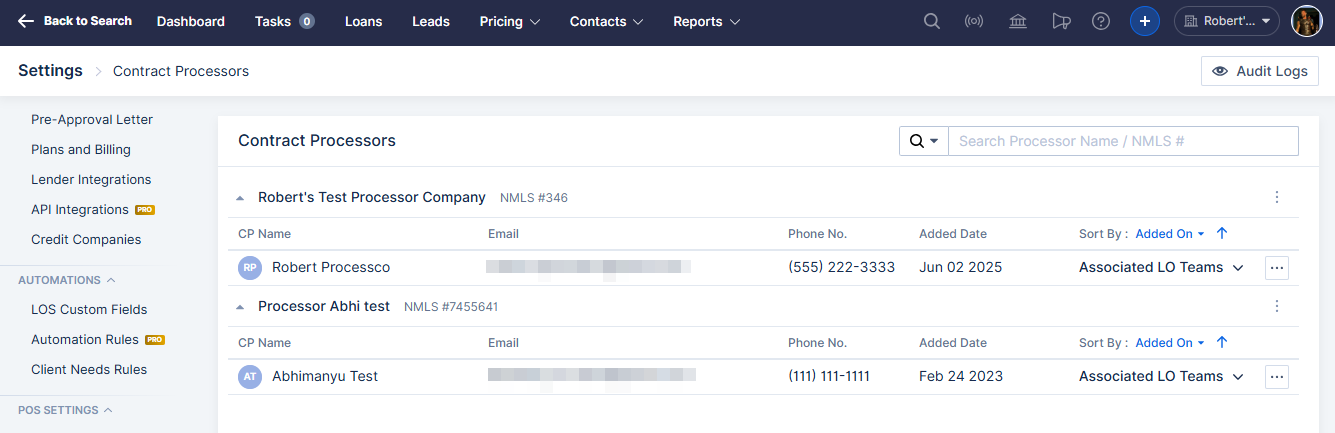
On this screen you will see all individual Contract Processors being used by any LO in your company, grouped by the Contract Processing company they work for.


You are able to remove individual Contract Processors or an entire Contract Processing company, which removes all users in that company. To do this, click the "..." button to the right of an individual or a company, and click Remove Processor or Remove Company.
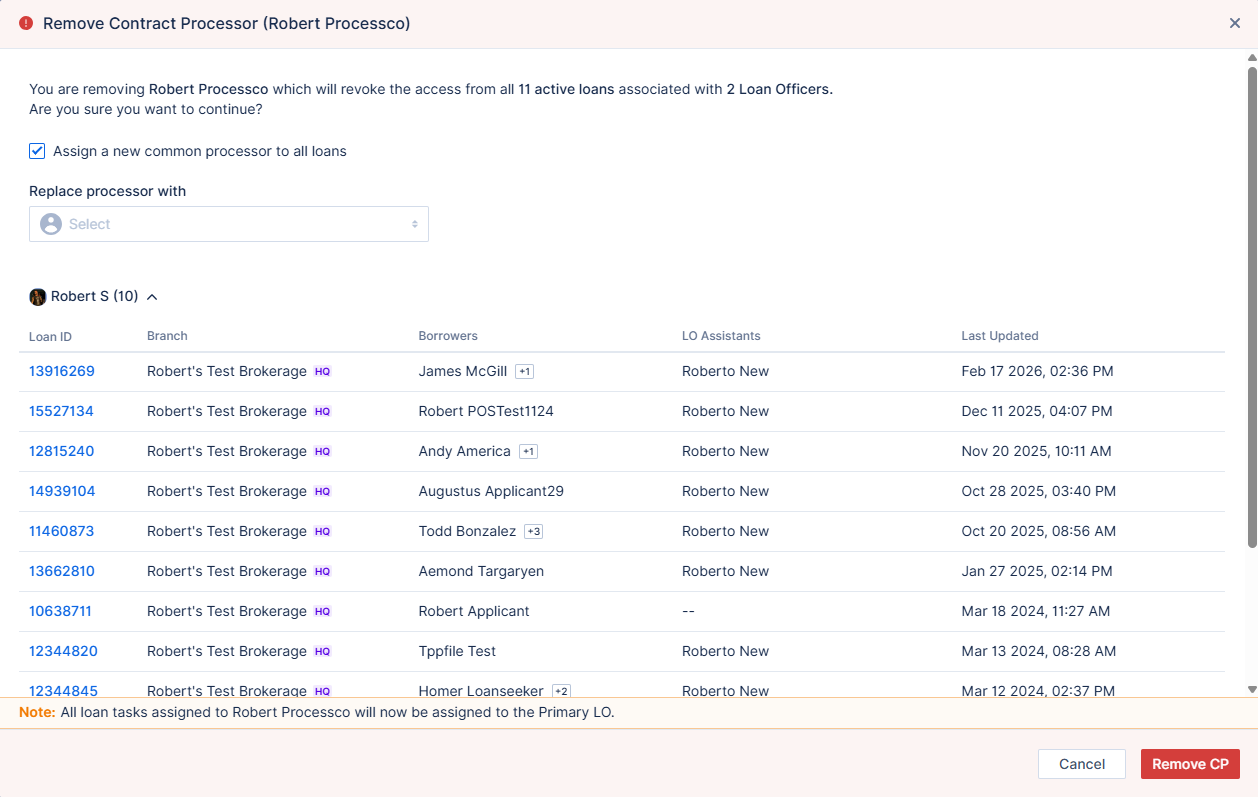
When removing a Contract Processor, you will be prompted to reassign any loan files where they are designated as the Primary processor to a different processor. You will not be prompted to reassign loan files where the Contract Processor being removed was not designated as the Primary processor. If the Contract Processor was working with multiple LOs in your company, you can choose to assign one replacement processor to all LO's affected files, or different replacement processors for each individual LO's affected files.
When a Contract Processor is removed, any outstanding Tasks assigned to them are automatically reassigned to the Primary LO on the file.