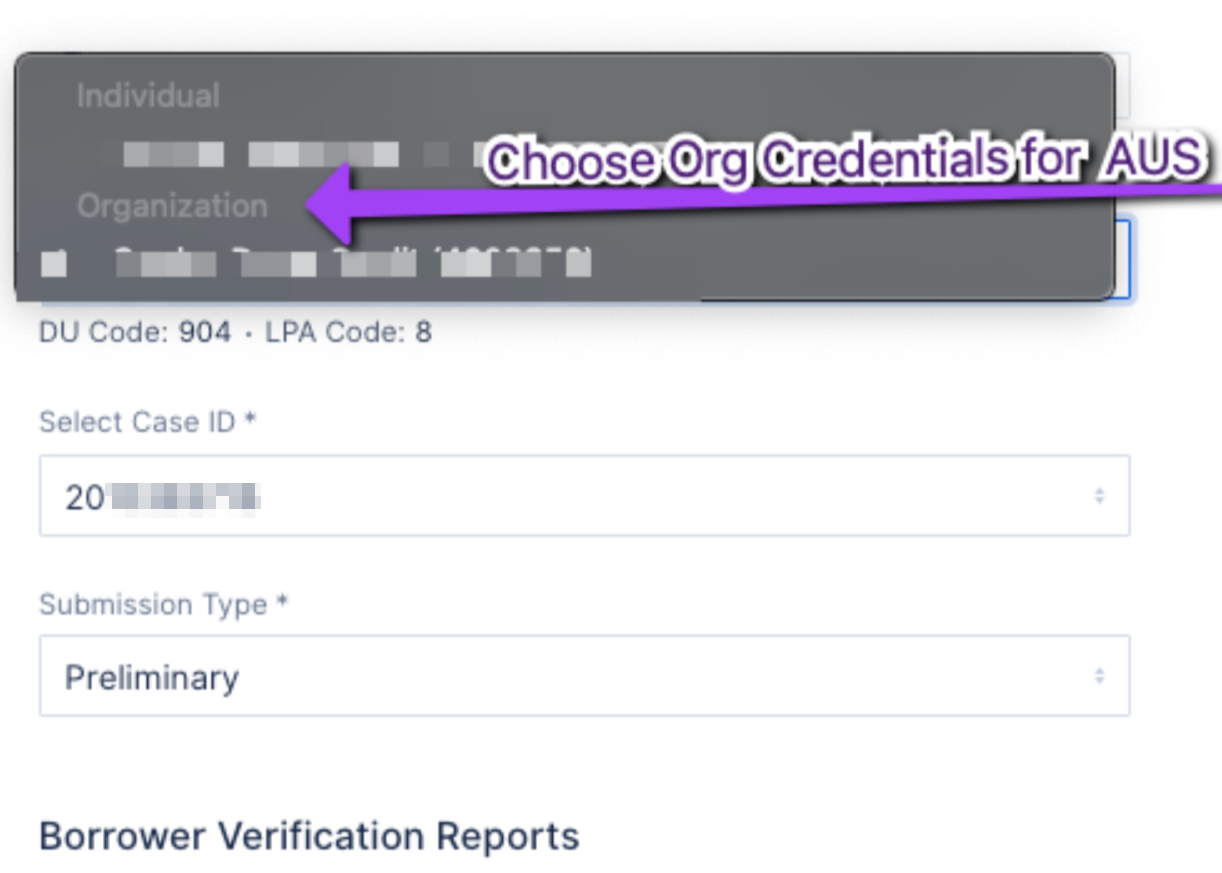
Funding Suite by Covius has separate credentials for running credit and running AUS.
Credit ordering credentials for Funding Suite by Covius can be entered as normal, at either the User, Branch, or Company level.
In order to run AUS with a credit report from Funding Suite by Covius, your company must also have AUS eligible Funding Suite by Covius credentials entered at the Company level (in Company Settings > Credentials), marked "AUS Eligible" via the checkbox (see screenshot below). The AUS eligible credentials cannot be entered at the User or Branch level, only at the Company level by a Company Admin.
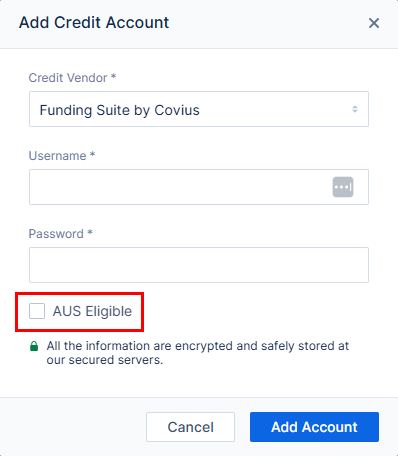
A Funding Suite by Covius account that is marked as AUS Eligible will NOT appear as an option when ordering credit, and will ONLY appear in the credit account dropdown when running AUS.
To run AUS with a Funding Suite by Covius credit report:
- Order credit using the regular credit credentials for Funding Suite by Covius.
- When running AUS select the Company/Organization-level AUS Eligible Funding Suite by Covius account.