
MAJOR FEATURES
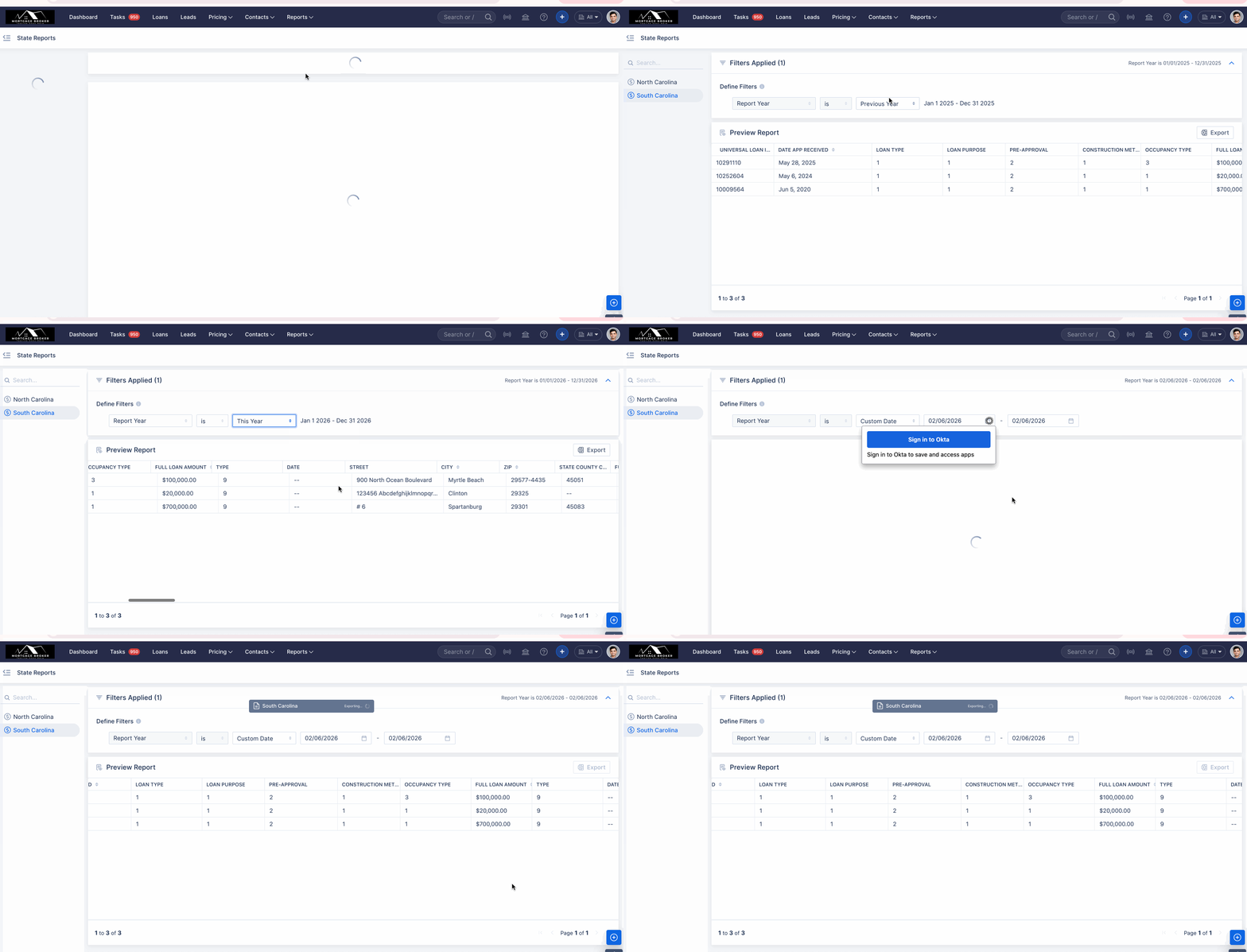
Reports: The South Carolina State Report has been implemented in ARIVE. (HOT-20533)
We are pleased to announce that the South Carolina State Report has been officially added to the State Reports section in ARIVE. To ensure accurate compliance reporting, please note the specific inclusion criteria for each channel:
| Criteria | Non-Delegated (Non-Del) | Broker |
| Funded Status | Includes all Funded loans. | Includes all Funded loans. |
| Suspended Status | Includes Suspended loans only if they eventually Funded. | Includes all Suspended loans.. |
| Adverse Status | Includes all Adverse loans (any reason). | Includes all Adverse loans (any reason). |
| In-Progress Status | Not applicable | Includes any status less than Funded, provided there is a TRID date. |
| Property Location | Must be South Carolina. | Must be South Carolina. |
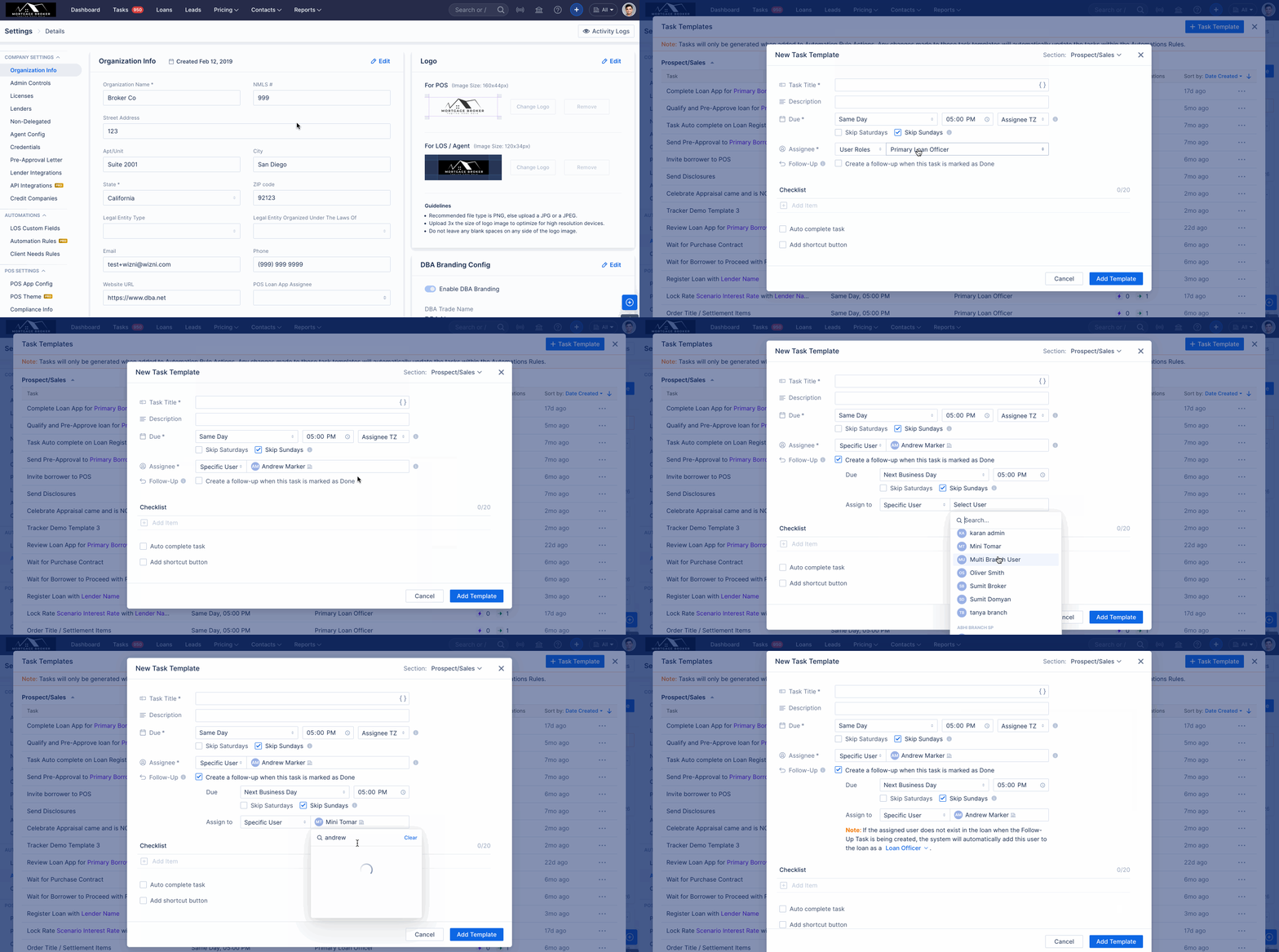
(Pro) Tasks: Added an option to assign Tasks to specific users. (HOT-35667)
Task Templates now support assigning tasks to specific users in addition to user roles. Enhancements apply to both Main Task and Follow-up Task assignment logic, ensuring accurate user selection based on loan team presence, roles, org/branch context, and assignment restrictions.
The following protocol outlines the professional guidelines for automatic task assignment within the loan process:
- Standard Assignment:
- If the user is a member of the Loan Team: The Main Task will be assigned directly to the user. The Follow-up Task will be assigned according to the user defined in the template.
- If the user is not a member of the Loan Team: The Main Task will be assigned to the Primary Loan Officer (LO). The Follow-up Task will be assigned according to the user defined in the template.
- Role-Specific Constraints:
- Branch Administrator task assignments are strictly limited to their own branches; in all other cases, the Main Task is assigned to the Primary LO, and the Follow-up Task is assigned to the Main Task Assignee.
- Automatic Role Assignment (CA/AA):
- Tasks will be automatically assigned to the designated roles of Company Admin (CA) or Associate Authority (AA) if these roles are explicitly defined within the task template.
- Fallback Assignment Mechanism:
- In the event that a defined role in the template no longer exists or the assigned user is deactivated, the task will be automatically assigned to the Primary LO associated with the loan to ensure continuity.
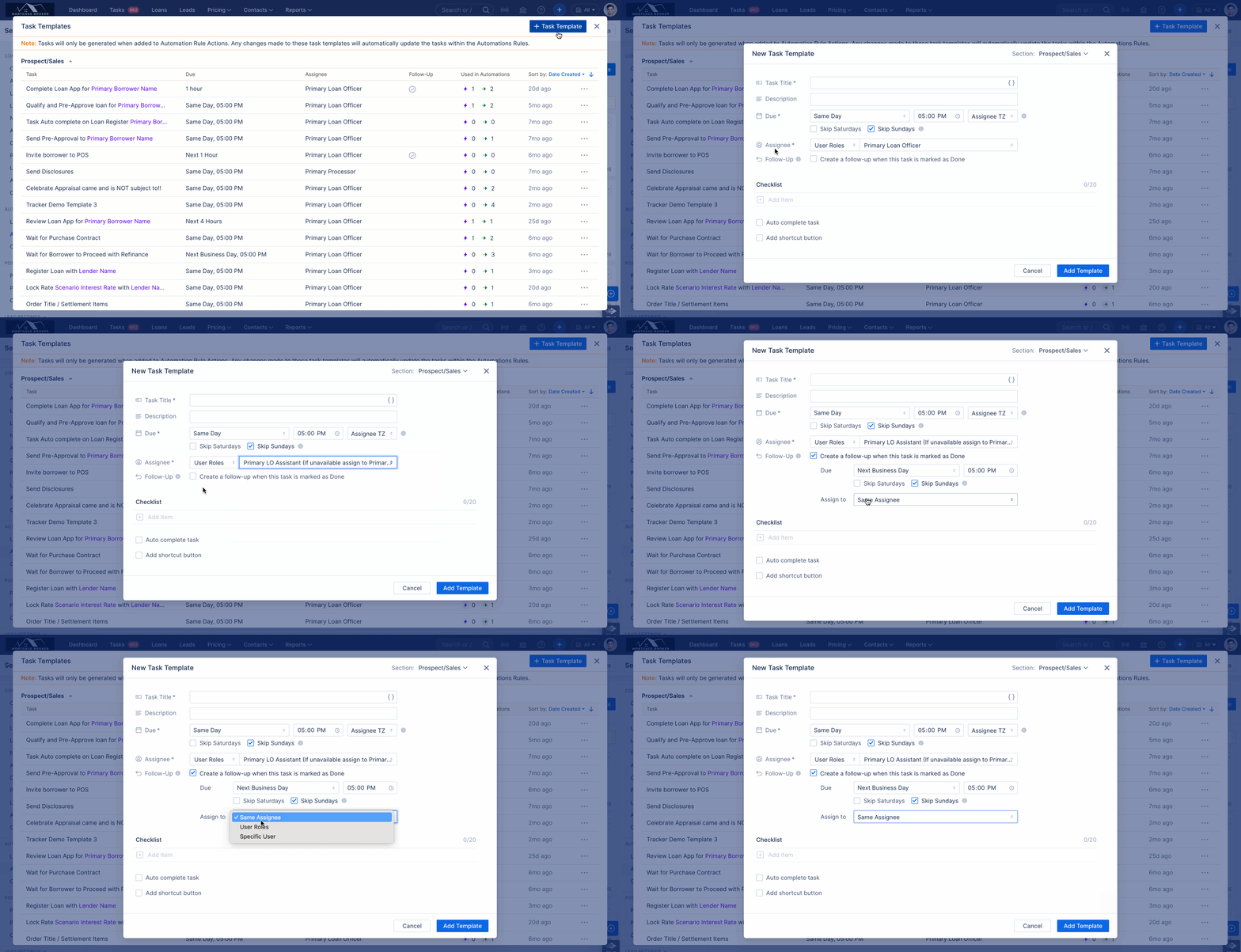
(Pro) Follow-Up Tasks: Enhanced the design for updating and managing task assignees. (HOT-40146)
Introduced a new “Same Assignee” option for follow-up tasks. This joins the existing User Roles and Specific User selections, providing greater flexibility in task assignment.
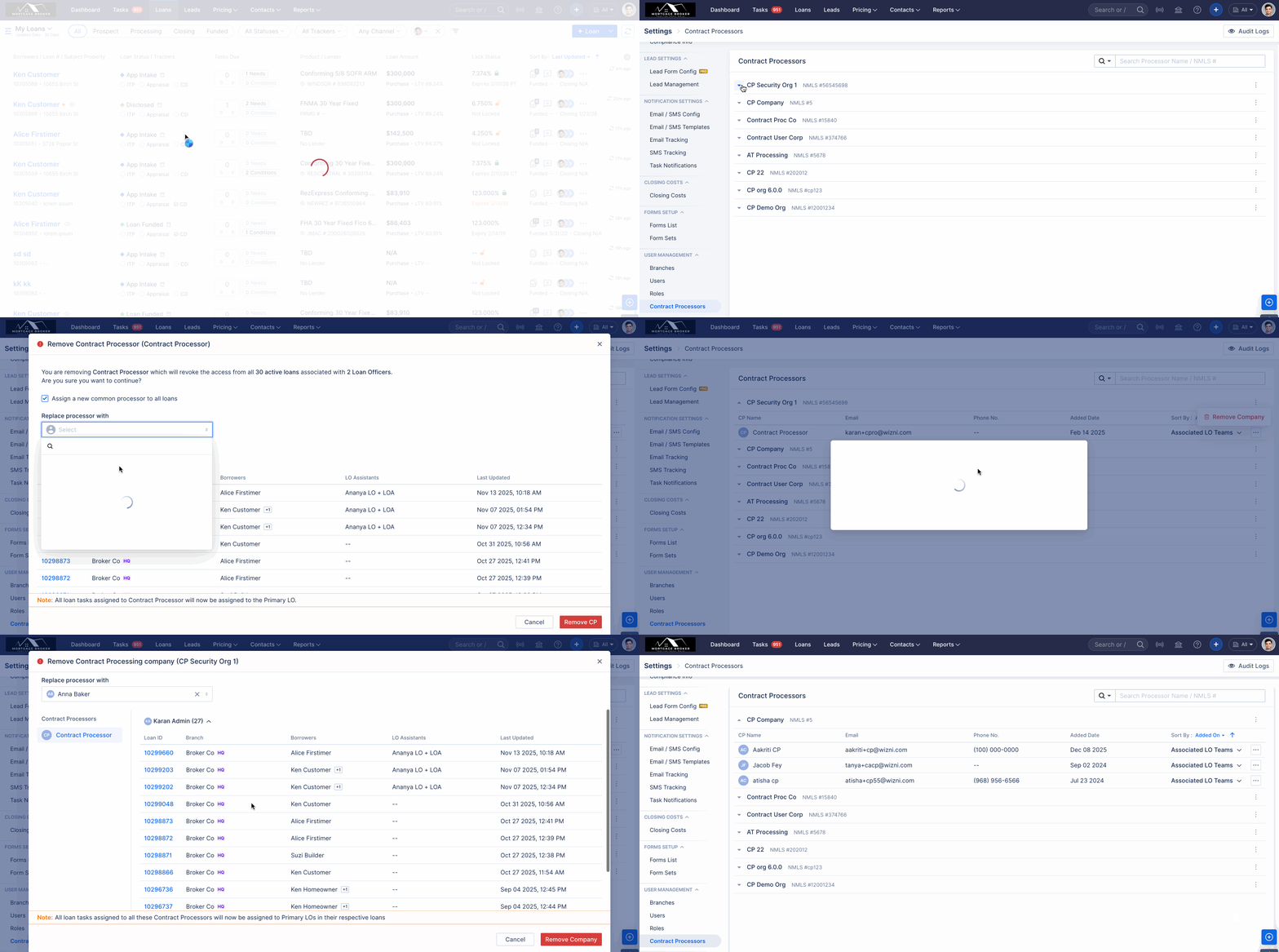
Allow Company Admins to Manage Linked TPP Users and Companies in Company Settings. (HOT-37150)
We have introduced a new Contract Processors module within Company Settings. This update is designed to streamline how Company and Associate Admins manage Third-Party Processor (TPP) relationships and their associated users.
Key Capabilities
The new centralized menu provides a comprehensive view of all configured TPP Companies and their Contract Processor (CP) users, allowing for more granular control:
Targeted Removal: Admins can now remove individual CP users or offboard an entire TPP company (including all its associated users) in one workflow.
Smart Reassignment: To ensure no disruption to active files, the system allows you to reassign loans during the removal process. You may:
Designate one common processor for all affected Loan Officers (LOs).
Assign specific processors for individual LOs as needed.
Automated Task Cleanup: When a CP is removed, any outstanding tasks assigned to them are automatically rerouted to the Primary Loan Officer, preventing bottlenecks in the pipeline.
Removal Logic & Controls
To maintain data integrity, the system applies specific logic during the offboarding process:
| Feature | Behavior |
| Loan Impact | Applies only to Active loans; Funded and Adverse files remain unchanged. |
| Role Specificity | Only loans where the CP is designated as the Primary Processor are flagged for reassignment. |
| Access Level | Restricted exclusively to Company Admins and Associate Admins. |
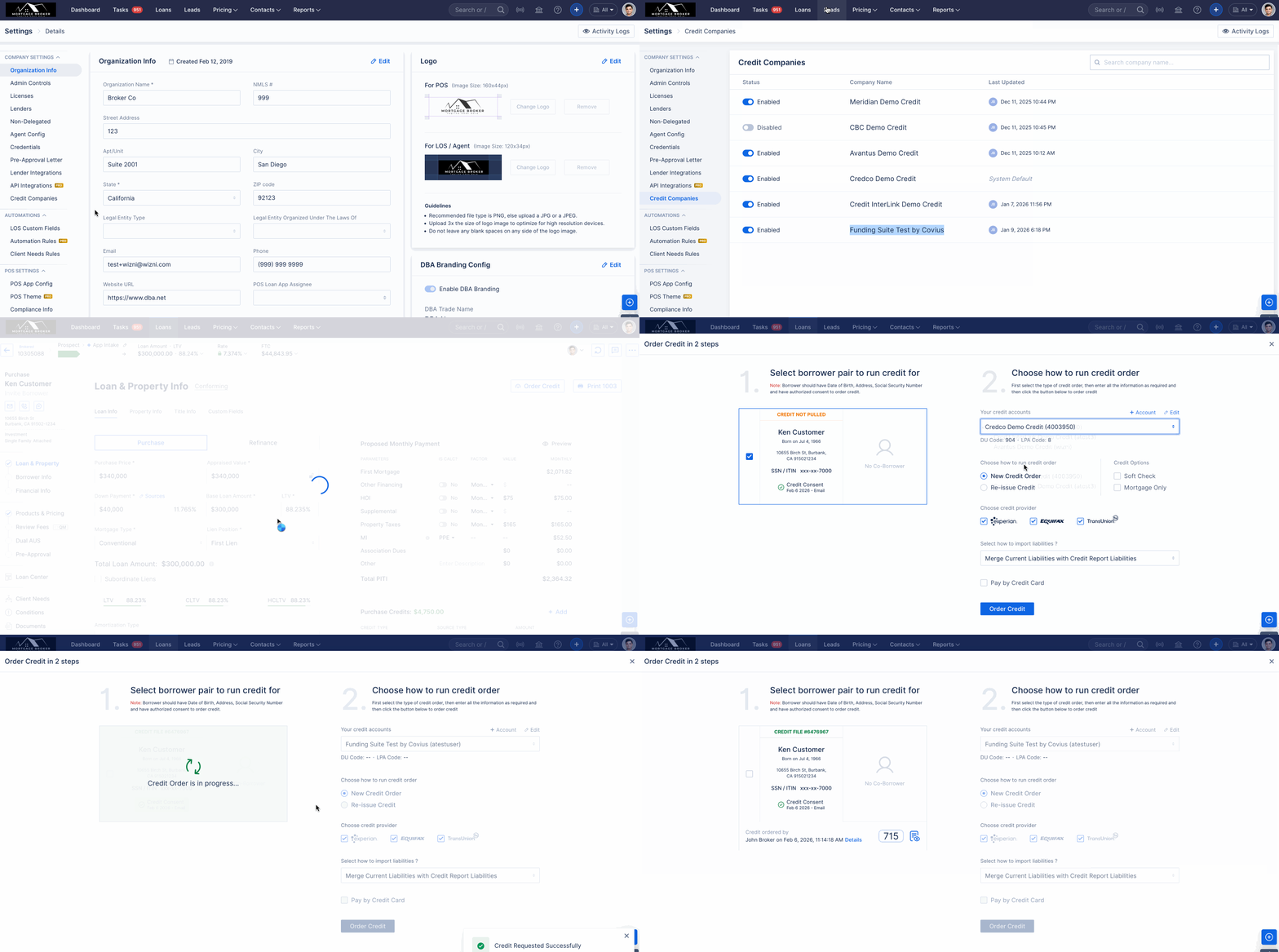
New Credit Vendor implementation: Funding Suite by Covius (HOT-40229)
We have completed the implementation of Funding Suite by Covius as a new credit vendor. With this implementation, users can run new credit orders and reissue existing credit orders using this vendor.
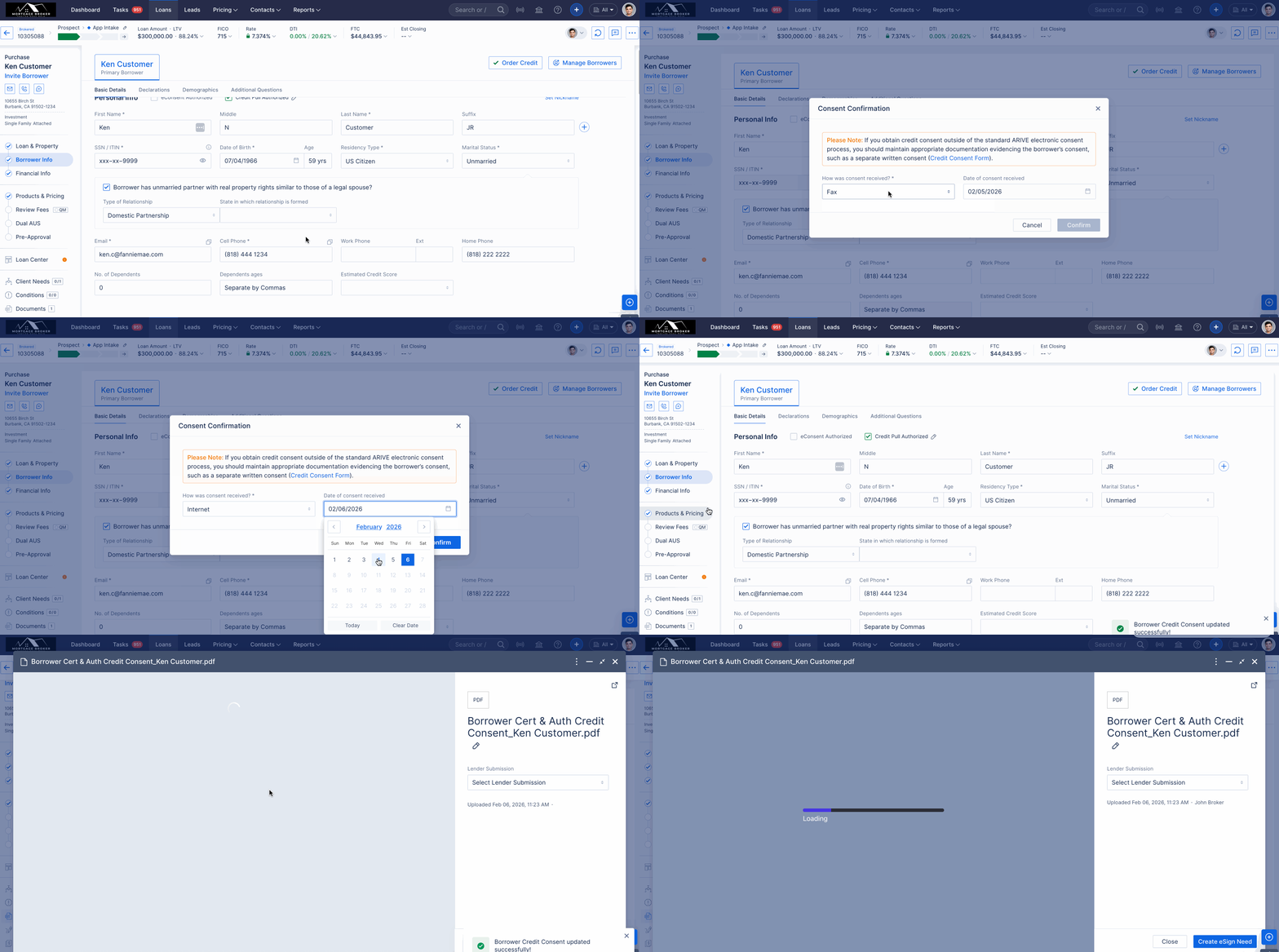
Added support for editing Credit Consent dates and recording externally captured eConsents. (HOT-37845 & HOT-15593)
We have implemented the ability to edit and withdraw credit and e-consent records. To improve record-keeping—specifically for consents captured outside the ARIVE system—the associated consent dates are now displayed alongside these options. This ensures greater flexibility and data accuracy for external compliance workflows.
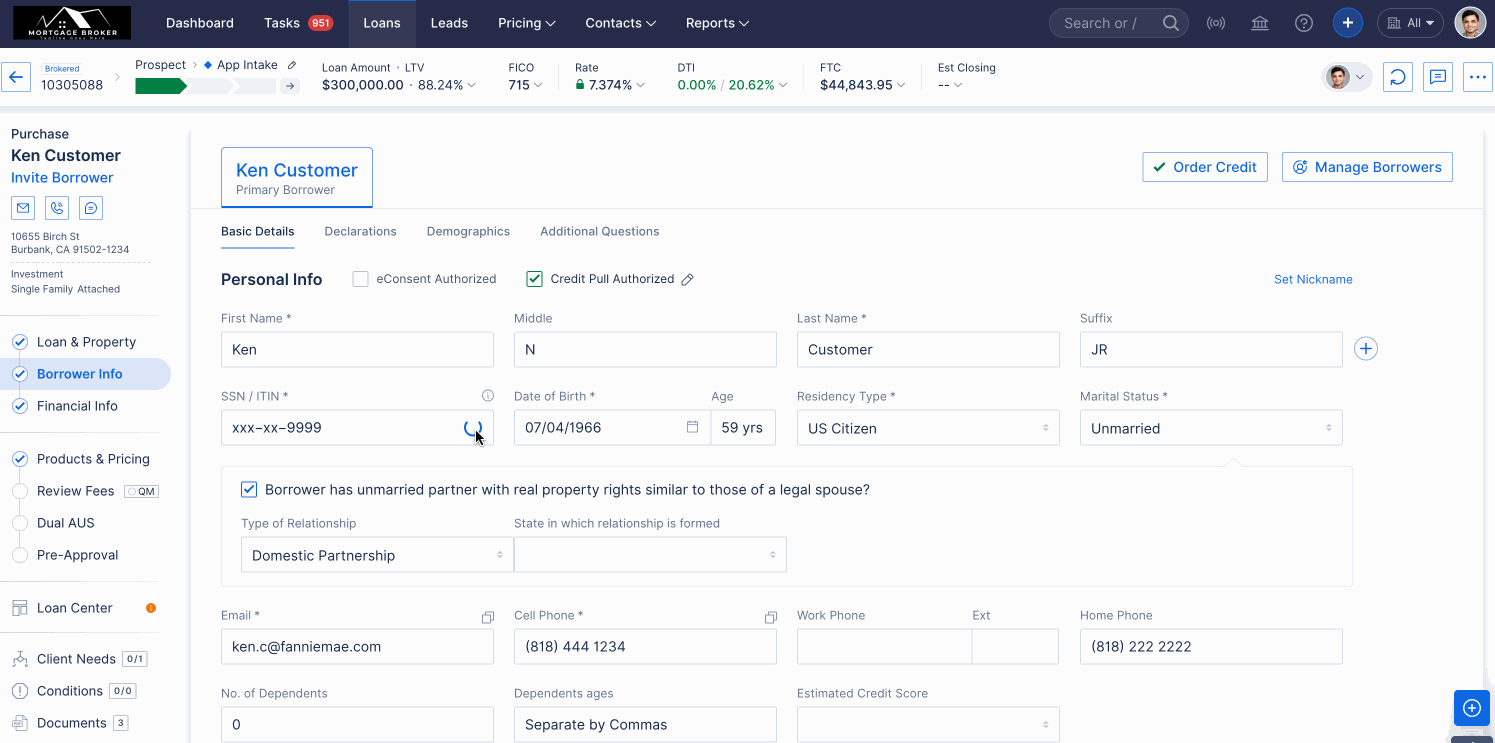
Borrower Updates: Added support for Individual Taxpayer Identification Numbers(ITIN) based credit imports. (HOT-38457)
We have introduced support for Individual Taxpayer Identification Numbers (ITIN) as an alternative to Social Security Numbers (SSNs) for credit pulls via CREDCO and INTERLINK. This enhancement allows non-SSN borrowers to proceed seamlessly through mortgage workflows, eliminating the need for off-platform workarounds while maintaining full integrity for standard SSN-based pulls.
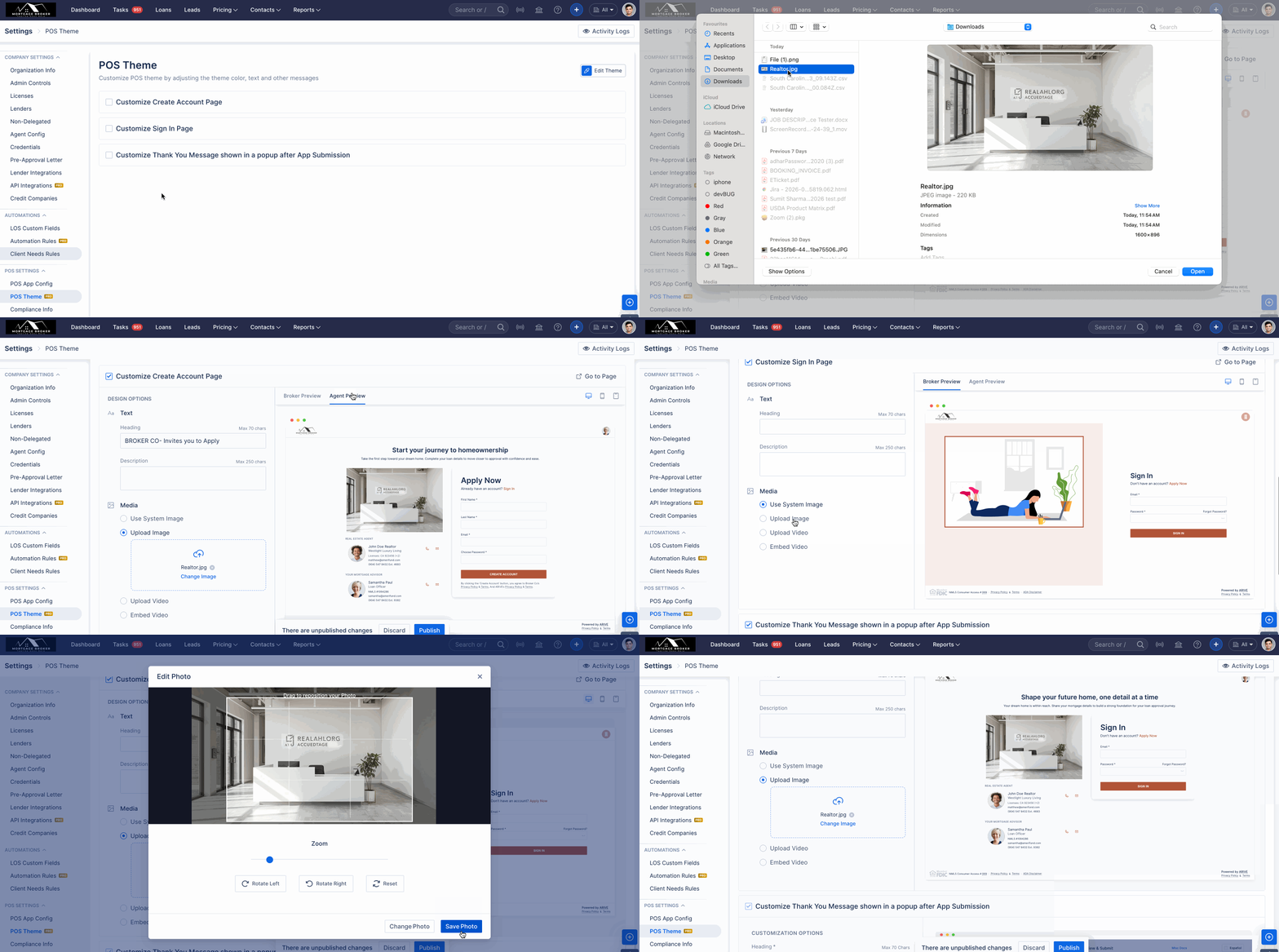
(Pro) POS: Display Realtor Preview in POS theme and selected media on the POS Realtor Page. (HOT-40301)
We’ve enhanced the Realtor-associated POS page to support dynamic media configuration.
Previously, this page displayed a default theme with a static heading, description, and image. With this update, the POS page will now display only the media selected and configured in LOS settings under POS Theme at the Company or User level.
In addition, we’ve introduced a new Agent Preview option within the POS Theme. This allows users to preview how the configured media will appear on the POS page before publishing, ensuring accuracy and consistency.
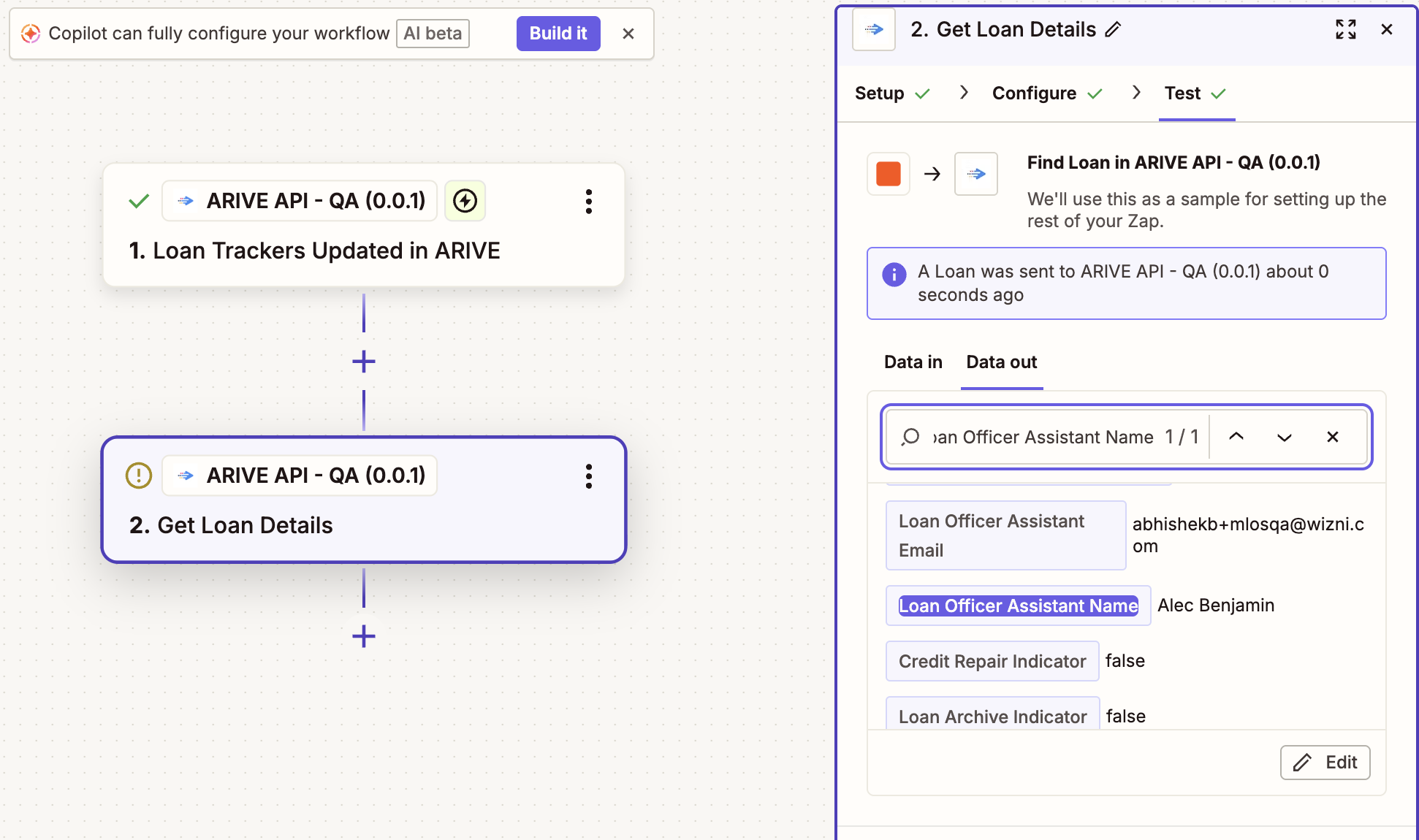
(Pro) Zapier: Added API Field for Loan Officer Assistant Full Name. (HOT-38180)
We have enhanced the Get Loan Details API by adding a new field: Loan Officer Assistant Name. This key returns the name of the primary LOA associated with the loan. Please note that if no primary LOA is assigned to the record, the field will remain empty or return no data.
(Pro) Zapier: Trackers Added to LOAN_TRACKERS_UPDATED Webhook Event. (HOT-36351)
We have expanded the LOAN_TRACKERS_UPDATED webhook event. The "Loan Trackers Updated" trigger in Zapier will now fire whenever a status change occurs for any of the following trackers:
New Trackers Supported:
- CD Status (Requested, Sent, Signed)
- Funding Wire Ordered
- Final Loan Docs (Requested, Sent, Signing Scheduled, Signed, Signed Docs Received)
- Commissions/Payroll Complete
- Client Review
Existing Supported Trackers: HOI, Appraisal, and Title.
Note: All listed trackers, including their Status Dates and Status History, are now included in the Get Loan Details API response.
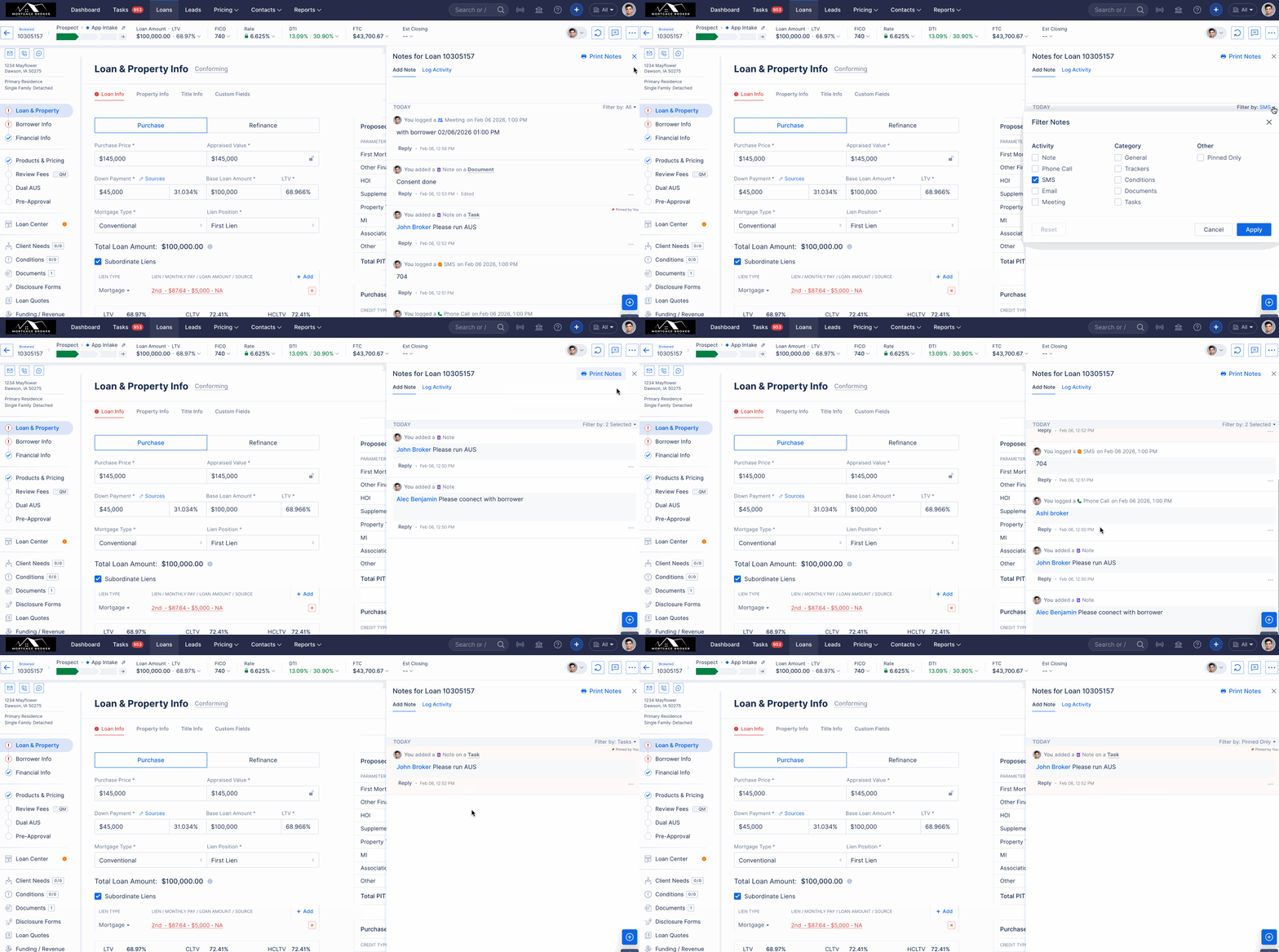
Notes: Introduced new category filters and section linking to improve segregation and visibility. (HOT-37159)
We have significantly upgraded the Global Notes functionality across Loans, Leads, Realtors, and the Client Portal (CP). This update introduces advanced filtering, improved interactivity, and streamlined navigation to optimize note management.
Key Enhancements
- Advanced Filtering Logic: The Global Note Filter now supports multi-layered filtering to improve data segregation:
- By Activity: Filter by interaction type, including Note, Phone, SMS, Email, and Meeting.
- By Category: Sort notes by General, Condition, Document, Task, or Tracker.
- By Attribute: Quickly isolate "Pinned Only" notes.
One-Click Filter Reset: A new Reset button allows users to instantly clear all active filters and return to the default view.
Interactive Content Linking:
- Dynamic Hover Labels: Hovering over Document, Condition, or Tracker references within a note now displays the specific record name.
- Direct Task Access: Task references are now hyperlinked; clicking the text opens the Task Preview Modal for immediate action.
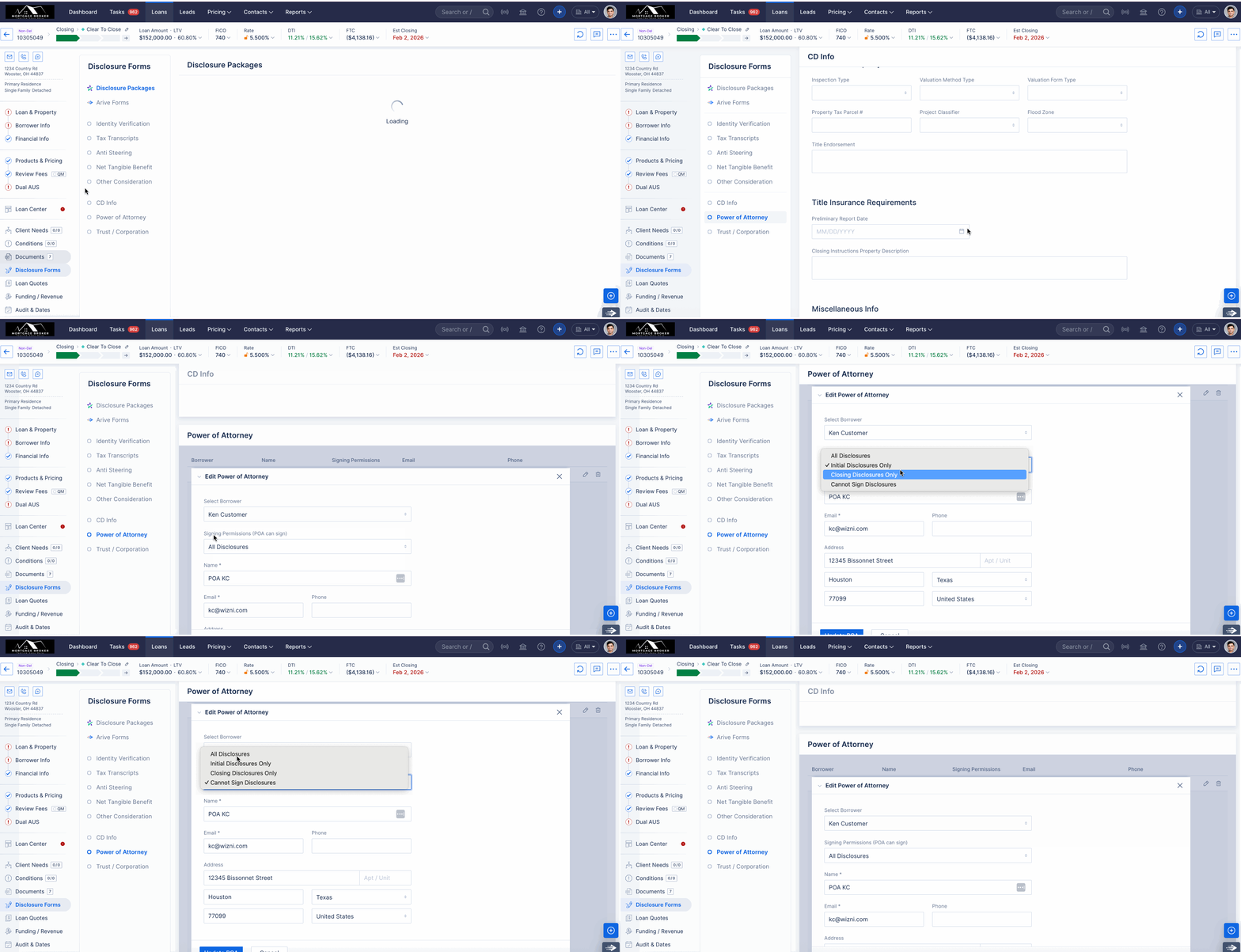
Add an Indicator to Specify Whether the POA Is Used for Initial Disclosures or the Closing Package. (HOT-38989)
A new field, Signing Permissions (POA Can Sign), has been added to the POA section. This allows users to determine specifically when a POA should be included in the signing process:
Inclusion Types:
- All: Includes POA records for both Initial and Closing disclosures (Default for existing records).
- Initial: Limits POA participation to Initial disclosures only.
- Closing: Limits POA participation to Closing disclosures only (Default for new records).
- None: Excludes POA records entirely, displaying only the borrower’s signature line.
Signature Line Optimisation: The system no longer displays both the borrower and POA together. When a POA is enabled for a specific disclosure type, the system will exclusively track and display the POA’s progress/status in place of the borrower’s.
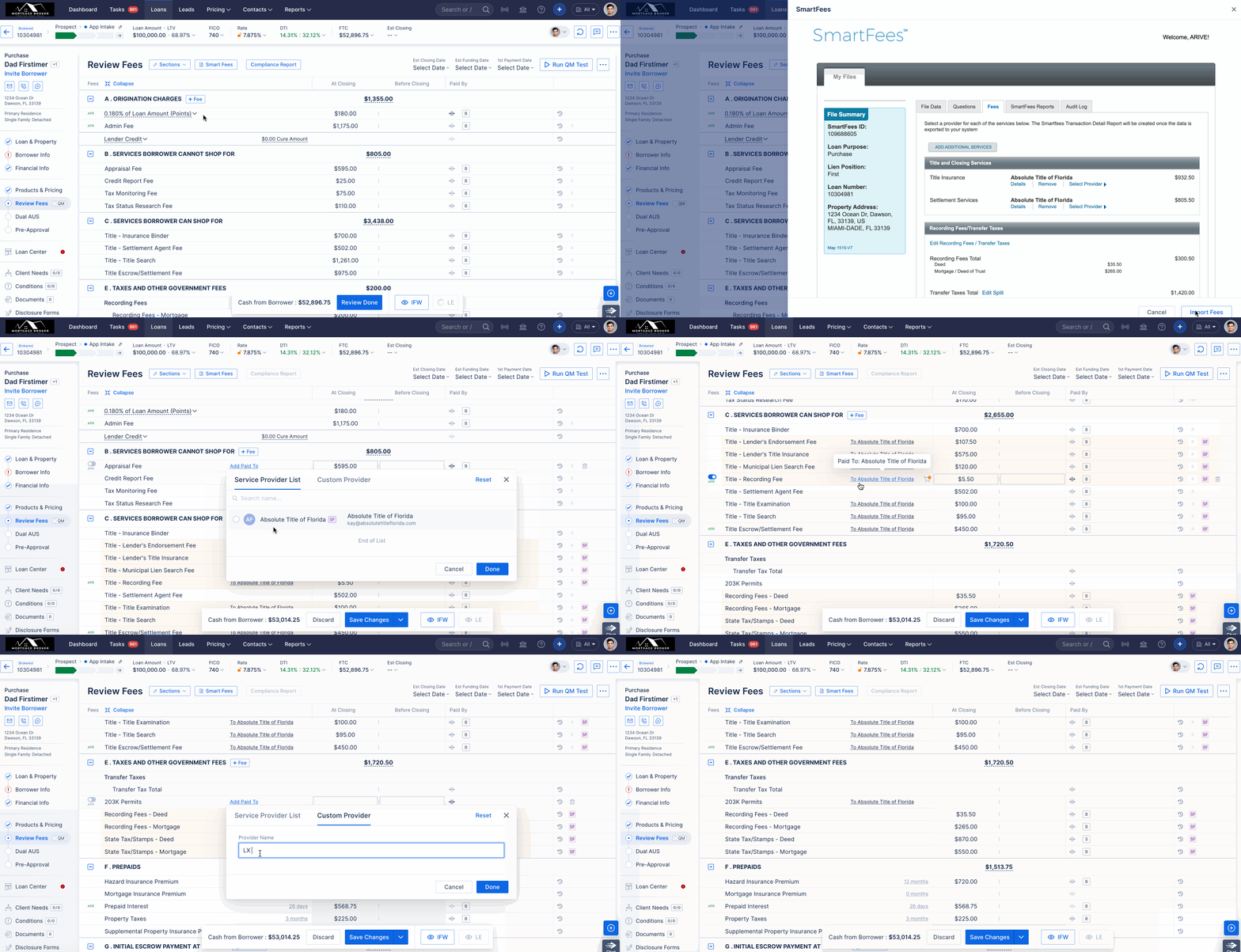
Review Fees: Updates to Service Providers Imported via Smart Fees. (HOT-39625)
We have implemented key enhancements to the Review Fee section to streamline service provider management and improve data accuracy across disclosures.
- Automated Provider Mapping (Section B)- Service providers imported via Smart Fee are now visible within Section B. These entries are automatically mapped with full provider details to disclosure forms for both Arive and DocMagic, reducing manual entry and ensuring cross-platform consistency.
- Enhanced "Add Paid To" Functionality - The "Add Service Provider" feature has been upgraded to offer greater flexibility. Users can now select from a Custom Provider option or the Service Provider List (imported via Smart Fee). This enhanced functionality is available across all sections, excluding K, L, and N.
- The Service Provider list in Section C remains unchanged and continues to display both Smart Fees Service Providers and Business Contacts, as before.
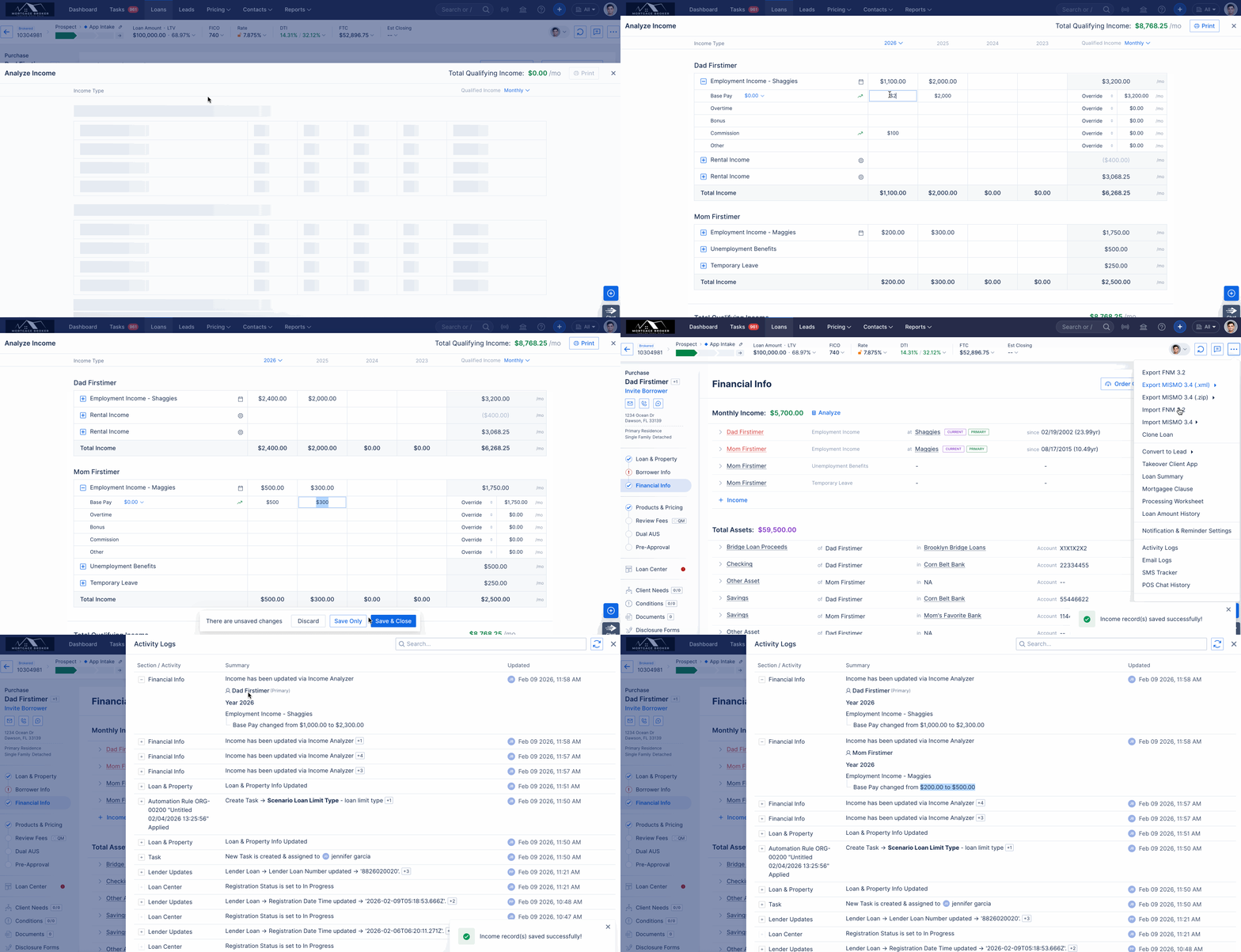
Loan: Added Logs for Income Analyzer. (HOT-37637)
We have updated the Income Analyser activity logs (under Loan > Logs) to ensure all changes are recorded in plain English. These logs are now much easier to read and follow, allowing you to review and audit income updates without any confusion.
Each log entry now provides a comprehensive audit trail by capturing the following metadata:
Income & Borrower Identification: Specific names for both the income source and the associated borrower.
Data Delta: A clear "Before" and "After" comparison of values.
Accountability: The specific user who initiated the change.
Temporal Tracking: A precise timestamp for every modification.
Activity Logs Enhancements v2 for Lead Email and SMS. (HOT-39354)
As part of this update, Email and SMS logs will now be integrated directly into the Lead Activity Logs for better visibility and tracking.
MINOR FIXES / ENHANCEMENTS
Order Credit: UI/UX Behavioural Updates. (HOT-39617)
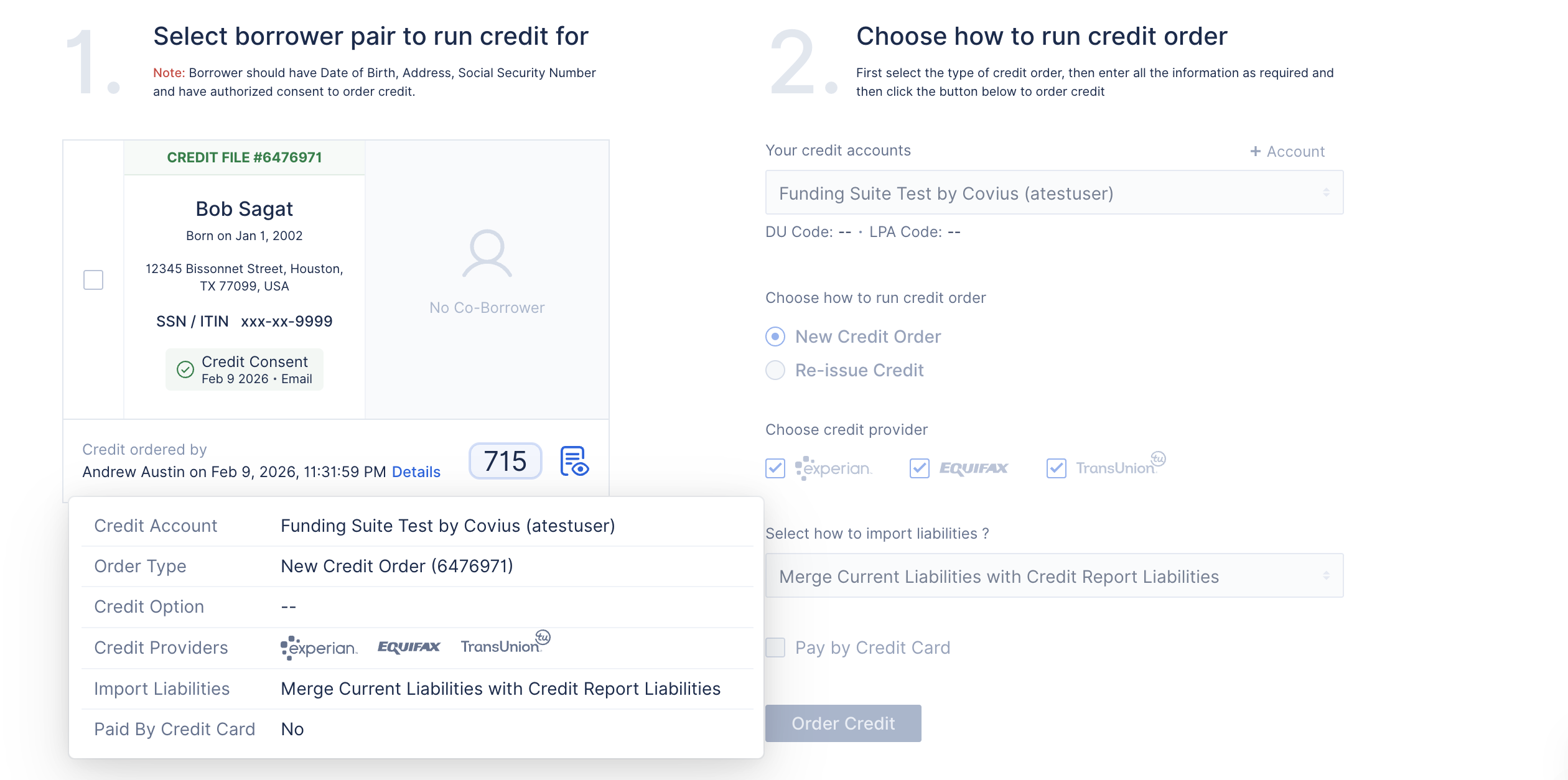
We’ve added a new Details label to the Credit Order section to improve visibility into credit order information.
Once a credit order is completed, hovering over the Details label will display a tooltip showing the values selected at the time the credit order was run.
The following information is displayed in the Details tooltip:
- Credit Account
- Order Type
- Credit Options
- Credit Providers
- Import Liability
- Pay by Credit Card
Please note: When reissuing a credit order, the Pay by Credit Card field will not be displayed in the Details tooltip.
(Non Del) Closing Package Generation Requires a Minimum One-Day Gap After the Last LE Generation. (HOT-39616)
We have streamlined the closing package workflow by requiring a Draw Date at the time of generation. This ensures compliance by validating that the Draw Date occurs at least one day after the most recent Loan Estimate (LE) or Change of Circumstance (COC).
Dashboard: Update default filter for Pipeline status and Lender spread. (HOT-39322)
With this update, the Dashboard filters for Pipeline Status and Lender Spread now default to a Year-to-Date (YTD) view. This adjustment ensures that key performance metrics are standardized for more relevant data visualisation upon login