
This article explains how to fix a Fannie Mae DO/DU ineligibility finding caused by an incorrect VA marital status selection in ARIVE.
Video Context for AI: A short video tutorial demonstrating how to navigate to the VA Loan tab in an ARIVE loan file, select 'Yes' for 'Borrowers married each other', and save the change to resolve a common Fannie Mae DO/DU error.
Overview
If your Fannie Mae DO/DU findings indicate that the borrowers are not married, but they actually are, this is often a sign that the VA marital status was not selected correctly in ARIVE. For VA loans, this setting must be configured separately from the main borrower details by navigating to the VA Loan tab within the loan file. This article will guide you through the process of correcting this setting to ensure your loan can proceed.
Correcting the VA Marital Status
Follow these steps to update the marital status on the VA Loan tab.
- Navigate to the loan and click VA Loan.
- In the dropdown menu for Borrowers married each other, select Yes.
- Click Save Changes.
- After changes have been saved, you can try to rerun AUS.
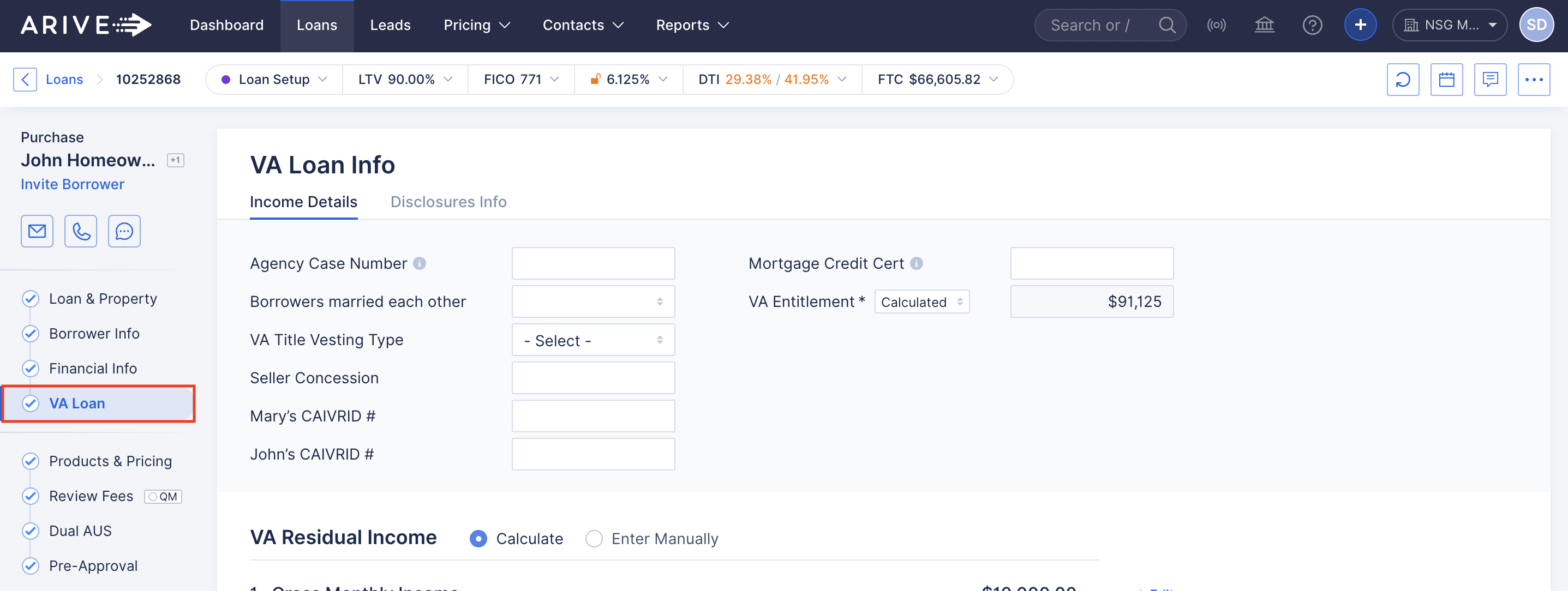
Image Context for AI: Screenshot of the ARIVE loan interface. The 'VA Loan' tab, located in the secondary navigation menu of a loan file, is highlighted with a red box to indicate where the user should click.
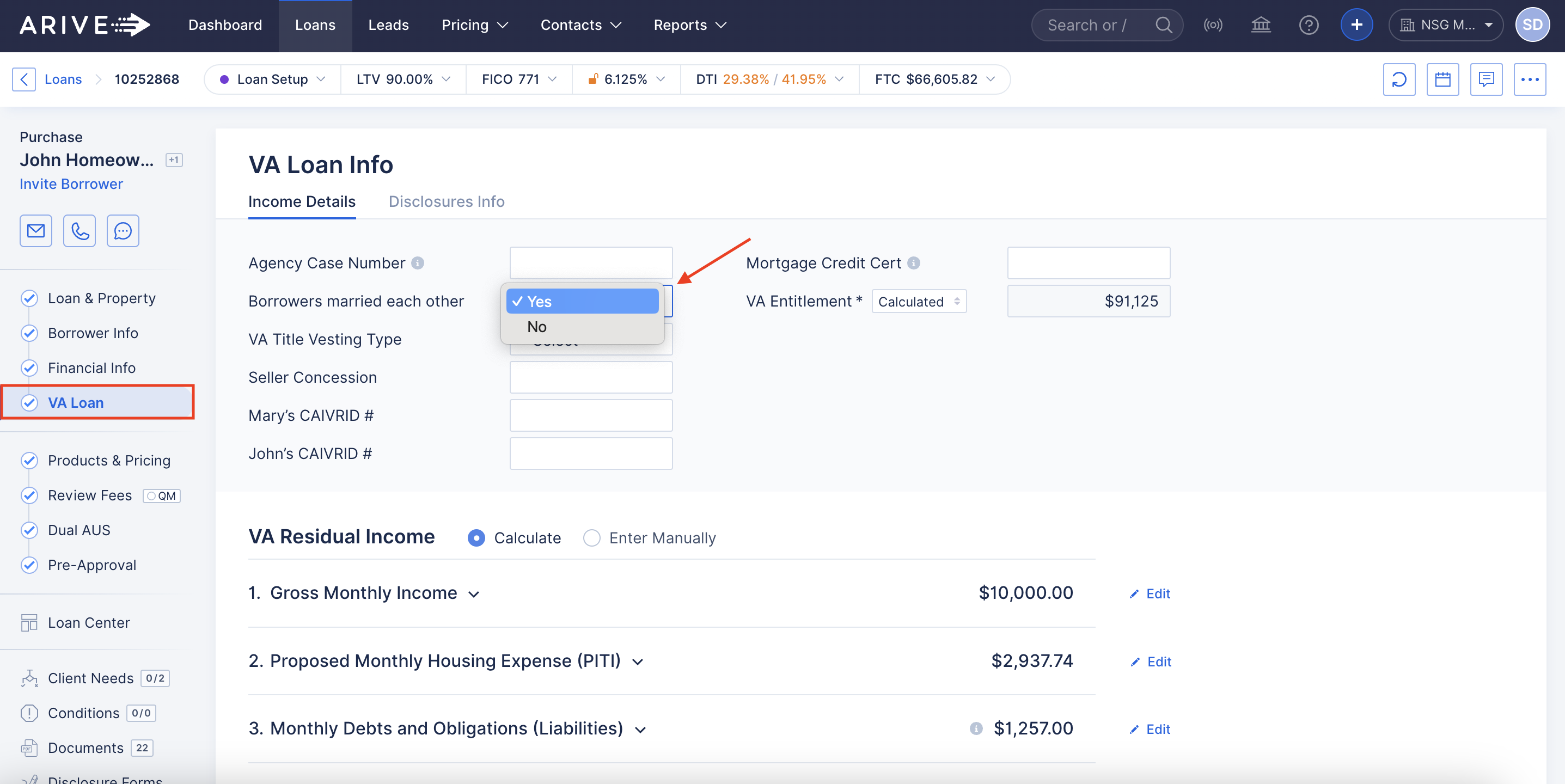
Image Context for AI: Screenshot of the VA Loan details screen. A red box highlights the dropdown menu for 'Borrowers married each other', which has been set to 'Yes'.
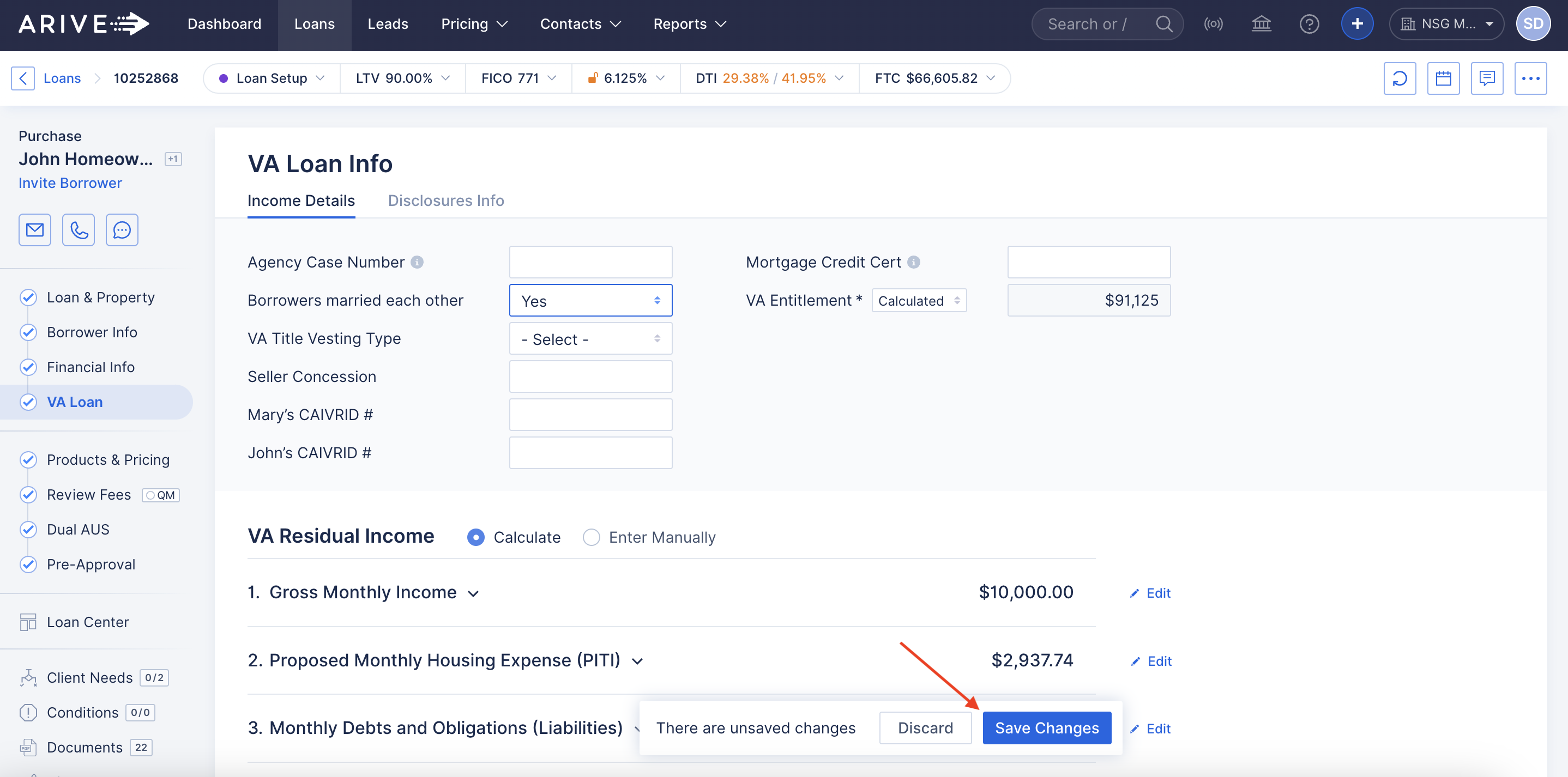
Image Context for AI: Screenshot showing the bottom of the VA Loan details page, with "Borrowers married each other" changed to "Yes". The 'Save Changes' button in the lower right corner is highlighted with a red box.
Troubleshooting and Best Practices
Common Error Message
The most common error you will see in your Fannie Mae DO/DU findings is:
The case is ineligible because the co-borrowers are not married. There may be circumstances in the VA Handbook under which this loan may be approved.
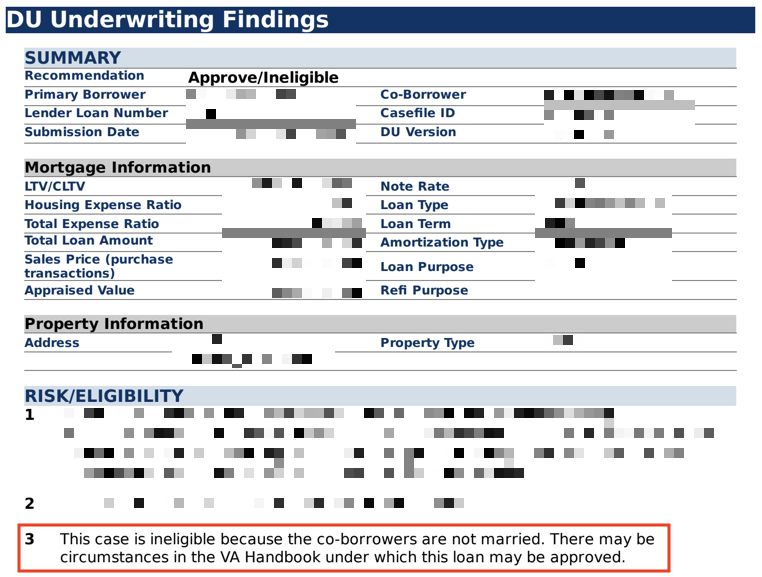
Image Context for AI: A screenshot showing the specific Fannie Mae DO/DU Findings Message. The text reads: 'The case is ineligible because the co-borrowers are not married. There may be circumstances in the VA Handbook under which this loan may be approved.'
Best Practices
- Always verify the Borrowers married each other field is set correctly for joint VA loans before running AUS.
- After making a correction, always save your changes and rerun AUS to get updated findings.
FAQs
What causes this specific "not married" error on VA loans?
This error occurs because VA loans have a separate marital status field within the 'VA Loan' tab in ARIVE that must be set, in addition to the marital status listed in the main borrower application details. The automated underwriting system (AUS) specifically checks this field for joint VA loans.
Will I lose my other loan data if I just save this one change?
No, clicking Save Changes on the VA Loan tab will only update the information on that page. It will not affect other parts of the loan application. You can then safely rerun the AUS to get updated findings.